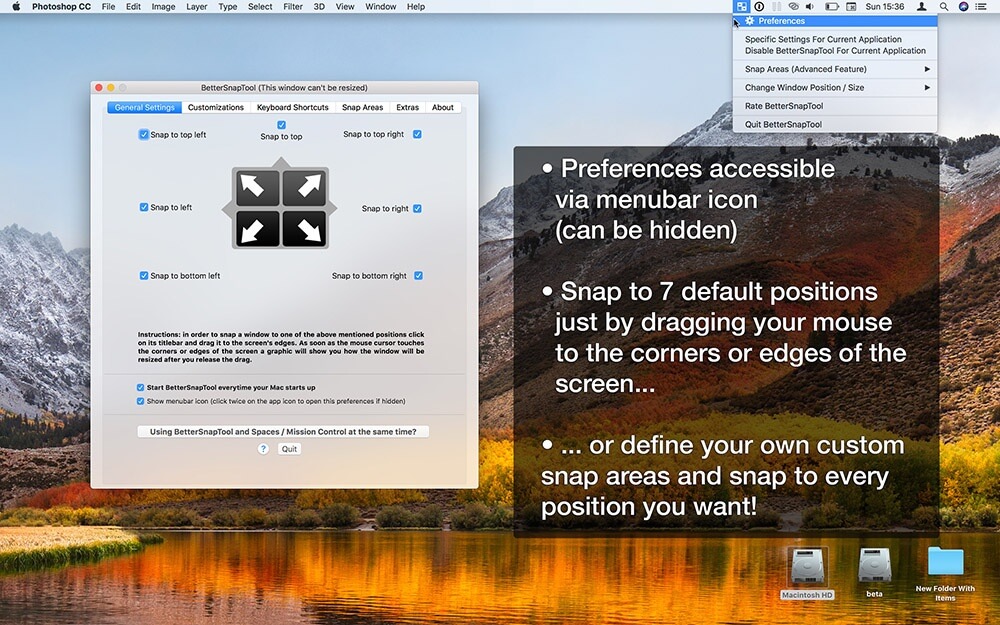
BetterSnapTool is a powerful macOS utility designed to improve window management and multitasking efficiency. It allows users to quickly resize, move, and snap windows into predefined positions using simple drag-and-drop actions or customizable keyboard shortcuts. This tool is especially useful for users who work with multiple applications at the same time, such as designers, developers, and office professionals, as it helps keep the workspace clean and organized.
With BetterSnapTool, you can create custom snap areas, assign shortcuts for window positioning, and control window behavior with precision. It runs smoothly in the background without slowing down your Mac, making multitasking faster and more productive. The app is lightweight, user-friendly, and highly customizable, giving users full control over how windows behave on macOS.
Key Features
- Snap windows to edges and corners of the screen :
- Quickly drag windows to screen edges or corners to automatically resize and organize your workspace for better multitasking.
- Fully customizable snap areas :
- Create your own window zones and layouts, such as halves, quarters, or custom sizes based on your workflow.
- Keyboard shortcut support for faster control :
- Use hotkeys to move and resize windows instantly without using the mouse.
- Multi-monitor support :
- Easily manage and snap windows across multiple displays for a smooth dual or triple monitor setup.
- Lightweight and runs in background :
- Runs quietly without slowing down your Mac, ensuring smooth performance.
- Highly customizable window management system :
- Adjust window behavior and rules to match your personal productivity style.
How to Download / Install (Mac)
- Visit the official Mac App Store or trusted software provider.
- Search for BetterSnapTool.
- Click on “Get” or “Buy” depending on availability.
- Install and open the application.
- Grant necessary accessibility permissions for window control.