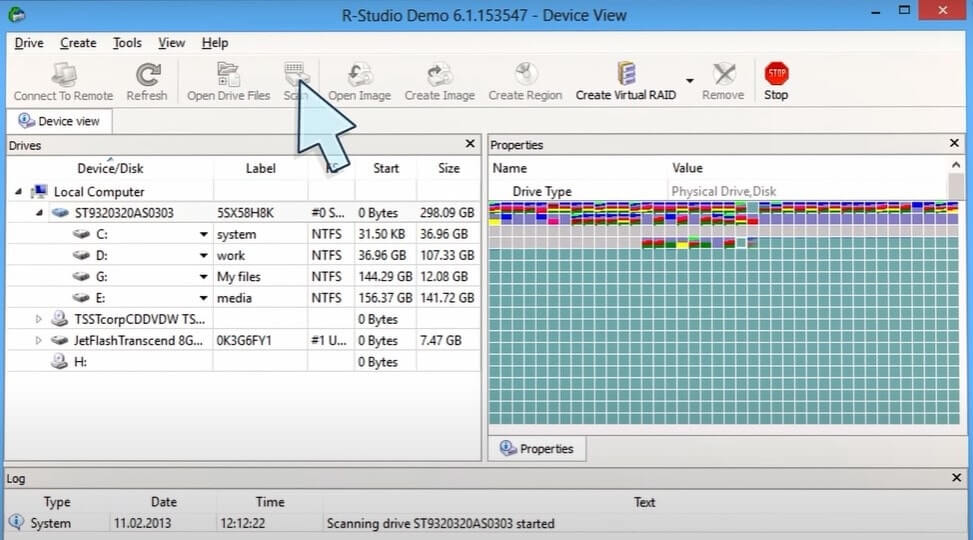
R-Studio is a professional-grade data recovery software designed to help users restore lost, deleted, or corrupted files from various storage devices on macOS. Whether files were accidentally deleted, lost due to formatting, system crash, or virus attacks, R-Studio provides advanced scanning algorithms to deeply analyze drives and recover important data. It supports multiple file systems including APFS, HFS+, FAT, exFAT, and NTFS, making it a versatile solution for Mac users who need reliable data recovery tools.
The software is widely used by IT professionals, technicians, and everyday users because of its powerful recovery engine and disk imaging capabilities. R-Studio can recover data from hard drives, SSDs, USB flash drives, RAID arrays, and even damaged partitions. Its preview feature allows users to check recoverable files before restoration, ensuring accuracy and saving time. With a user-friendly interface combined with advanced recovery options, it is suitable for both beginners and expert users on macOS.
Key Features of R-Studio for Mac
- Advanced File Recovery:
- Recovers deleted, formatted, or lost files from different storage devices.
- RAID Recovery Support:
- Can rebuild and recover data from damaged RAID configurations.
- Disk Imaging Tool:
- Creates exact copies of drives for safe recovery operations.
- Deep Scan Technology:
- Performs sector-by-sector scanning for maximum data retrieval.
- Preview Option:
- Allows users to view files before restoring them.
- Wide File System Support:
- Works with APFS, HFS+, FAT, exFAT, and NTFS.
- Network Recovery:
- Can recover data from remote computers over a network.
- Partition Recovery:
- Restores lost or damaged partitions efficiently.
How to Download & Install R-Studio on Mac ?
- Visit the official R-Studio website or trusted software provider.
- Download the macOS version of R-Studio.
- Open the downloaded .dmg file.
- Drag the R-Studio app into the Applications folder.
- Launch the software and grant necessary permissions.
- Start scanning your drive and recover lost files.