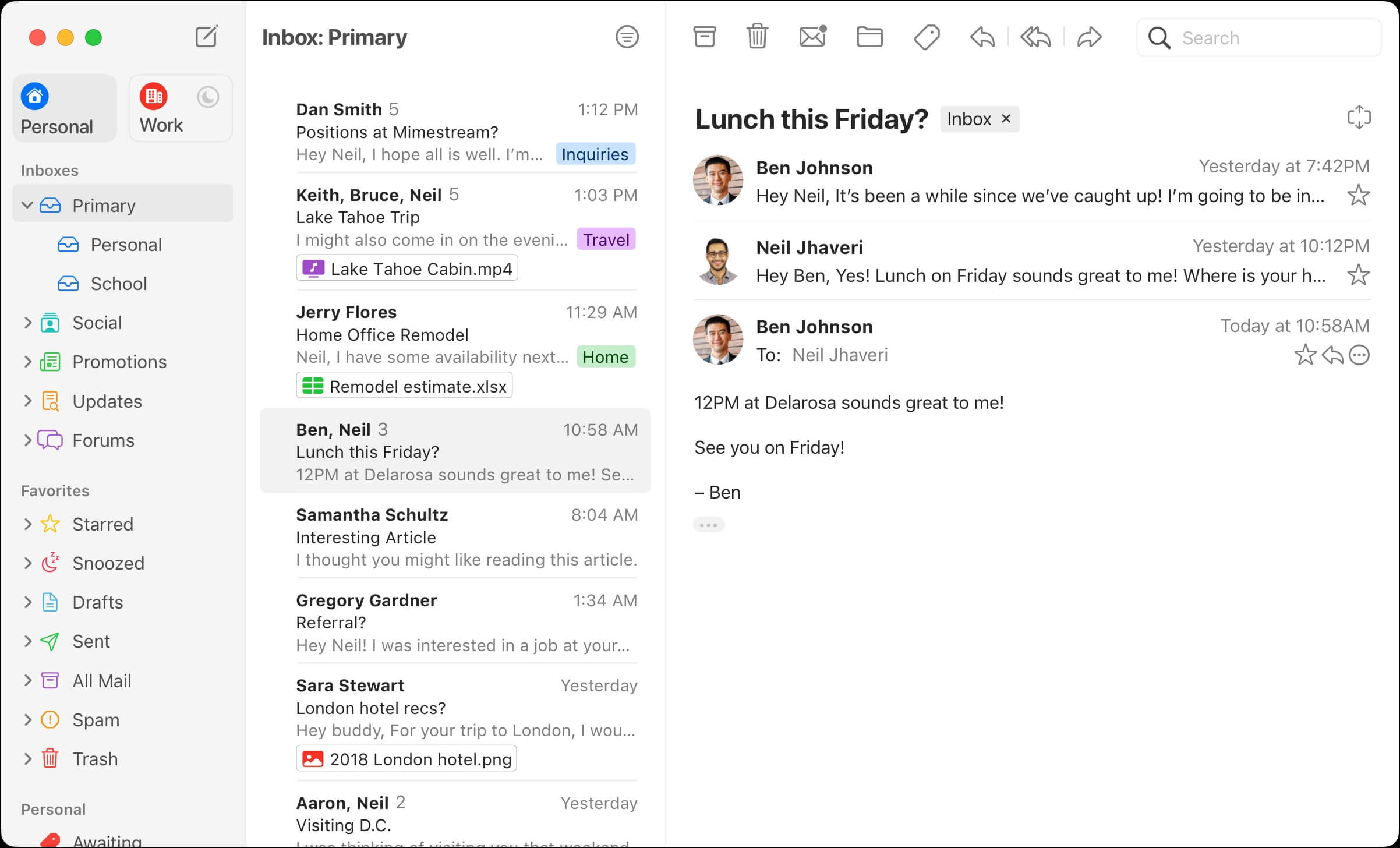
Mimestream is a modern and lightweight email application designed exclusively for macOS users who want a faster, cleaner, and more native Gmail experience. Built using Apple’s native technologies, Mimestream connects directly with Gmail APIs instead of relying on traditional IMAP, which results in faster syncing, better performance, and improved security. It is especially popular among professionals and productivity-focused users who manage multiple Gmail accounts on their Mac.
Mimestream offers a smooth and distraction-free interface that feels fully integrated into macOS. It supports Gmail features like labels, categories, multiple inboxes, and advanced search, while also adding macOS-native enhancements such as notifications, keyboard shortcuts, and offline support. The app is designed to reduce email clutter and improve workflow efficiency, making it an ideal replacement for heavy or slow email clients.
Key Features
- Native macOS design for a seamless Apple ecosystem experience
- Direct Gmail API integration (no IMAP required)
- Fast syncing with real-time email updates
- Support for multiple Gmail accounts
- Smart inbox with labels and categories support
- Advanced search powered by Gmail
- Desktop notifications with quick actions
- Offline access for previously loaded emails
- High performance with low system resource usage
How to Download Mimestream
- Visit the official Mimestream website
- Click on the macOS download button
- Open the downloaded .dmg file
- Drag Mimestream into the Applications folder
- Launch the app and sign in with your Gmail account
- Grant necessary permissions for email access