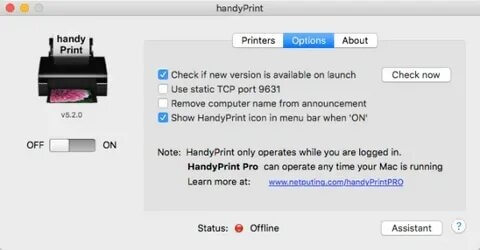
handyPrint Pro is a powerful macOS utility designed to make AirPrint-enabled printing easier and more flexible for Mac users. It allows you to turn any Mac into an AirPrint server, meaning you can print wirelessly from iPhone, iPad, or other Apple devices without needing a physical AirPrint printer. This software is especially useful for offices, home users, and businesses that want to extend printing capabilities without upgrading hardware. With its lightweight design and seamless integration into macOS, handyPrint Pro delivers a smooth and efficient printing experience.
One of the biggest advantages of handyPrint Pro is its simplicity and reliability. Once installed, it runs in the background and automatically shares connected printers over the network. It supports multiple printers, provides fast setup, and ensures stable performance for wireless printing tasks. It is ideal for users who want a cost-effective AirPrint solution without complicated configuration.
Key Features:
- Turn Mac into an AirPrint server for iOS devices
- Easy plug-and-play setup with minimal configuration
- Supports multiple printers at the same time
- Works on local network (Wi-Fi printing support)
- Lightweight app with low system usage
- Automatic printer detection and sharing
- Secure and stable wireless printing connection
How to Download & Install:
- Download handyPrint Pro from a trusted Mac software source or official website
- Open the downloaded DMG file on macOS
- Drag and drop the app into the Applications folder
- Launch the app and allow necessary permissions
- Enable printer sharing and connect your devices
- Start printing wirelessly from iPhone or iPad