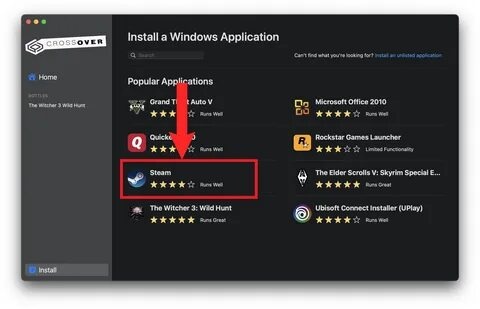
CrossOver is a powerful macOS application that allows users to run Windows software and games directly on Mac without needing to install Windows. It works as a compatibility layer, translating Windows commands into macOS-friendly instructions, making it possible to use popular Windows-only programs smoothly. This makes CrossOver especially useful for gamers, developers, and professionals who rely on Windows applications but prefer working on macOS. With its clean interface and improved performance optimization, it offers a simple way to bridge the gap between two operating systems.
CrossOver is widely used because it removes the need for dual-booting or virtual machines, helping users save storage space and improve system performance. It supports a large library of Windows apps, including productivity tools and select games, while continuously improving compatibility through updates. The software is designed for both beginners and advanced users, offering one-click installation for many applications and manual configuration options for advanced setups.
Key Features
- Windows App Support:
- Run many Windows applications directly on macOS without installing Windows.
- Gaming Compatibility:
- Supports a wide range of Windows games with optimized performance.
- No Virtual Machine Required:
- Works without heavy virtualization software like Parallels.
- One-Click Install:
- Easy setup for supported apps with automated configuration.
- Performance Optimization:
- Lightweight compared to running a full Windows OS.
- Regular Updates:
- Continuous compatibility improvements for new apps and macOS versions.
How to Download & Install on Mac:
- Visit the official CodeWeavers website and download CrossOver for macOS.
- Open the downloaded .dmg file.
- Drag CrossOver into the Applications folder.
- Launch the app and sign in or activate your trial/license.
- Use the built-in search to install Windows apps or games.