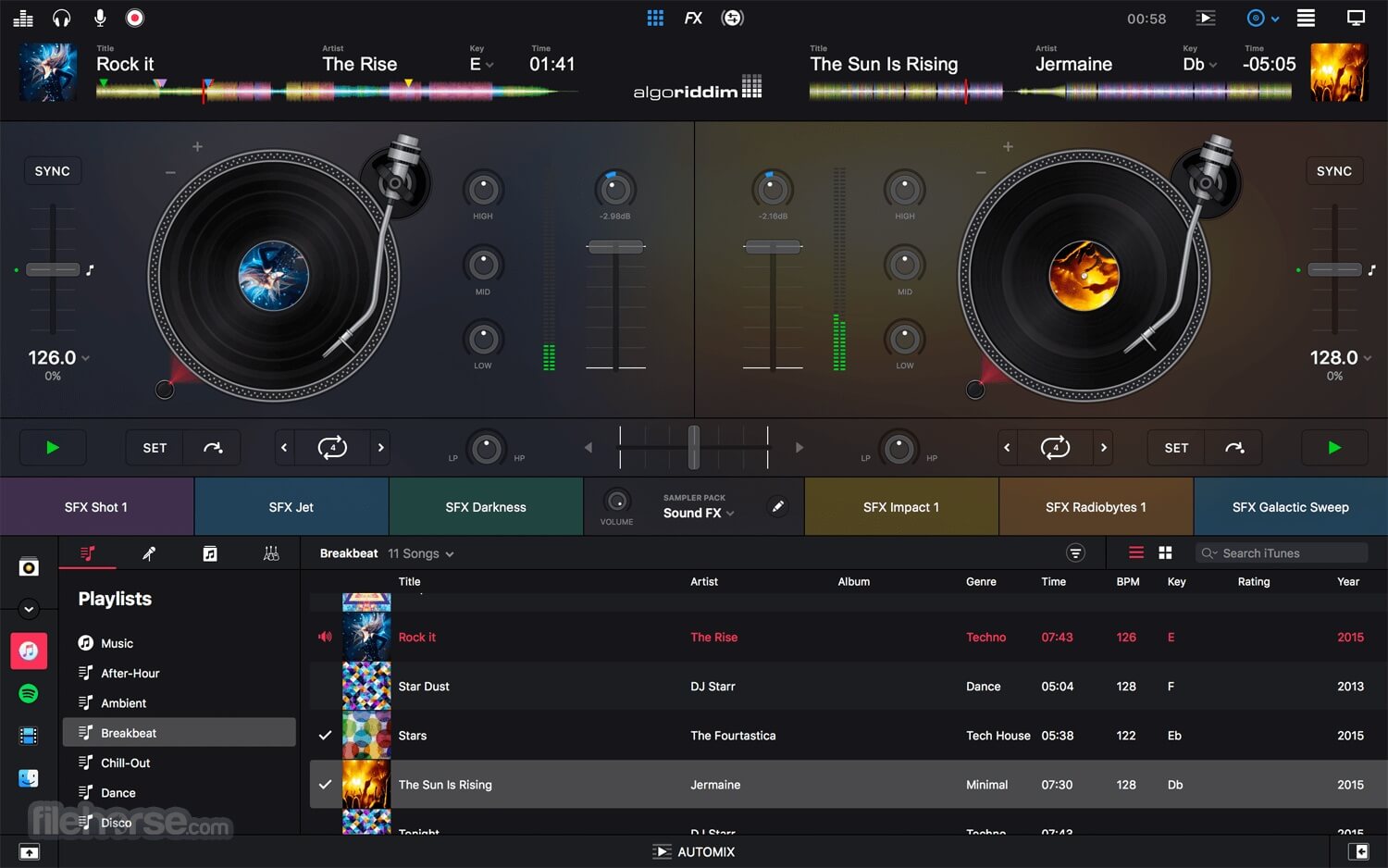
djay Pro for Mac is a powerful DJ software developed by Algoriddim that turns your Mac into a complete digital mixing studio. It is designed for both beginners and professional DJs, offering seamless integration with your music library, streaming services, and external DJ hardware. With its clean interface and real-time audio processing, djay Pro allows users to create smooth transitions, live mashups, and professional-quality mixes directly on macOS. Whether you are practicing at home or performing live, it delivers a highly responsive and studio-grade DJ experience.
The software is known for its advanced AI features and powerful audio engine that supports multi-deck mixing, beat matching, and live audio effects. It also includes tools like Automix AI, which can automatically create DJ sets, and Neural Mix technology that lets you isolate vocals, drums, and instruments in real time. This makes djay Pro one of the most innovative DJ applications available for Mac users who want creative control and professional output.
Key Features
- Multi-deck mixing support for advanced DJ performances.
- Neural Mix technology to isolate vocals, drums, and instruments.
- Automix AI for automatic smooth transitions.
- Integration with Spotify, Apple Music, and local libraries.
- High-quality audio effects and real-time waveform display.
- MIDI controller support for professional DJ hardware.
- Live recording and performance mode.
How to Download / Install (Mac) ?
- Visit the official Algoriddim website or Mac App Store.
- Search for “djay Pro”
- Click Download or Get button.
- Install the application on your macOS system.
- Launch and sign in (if required) to start using.