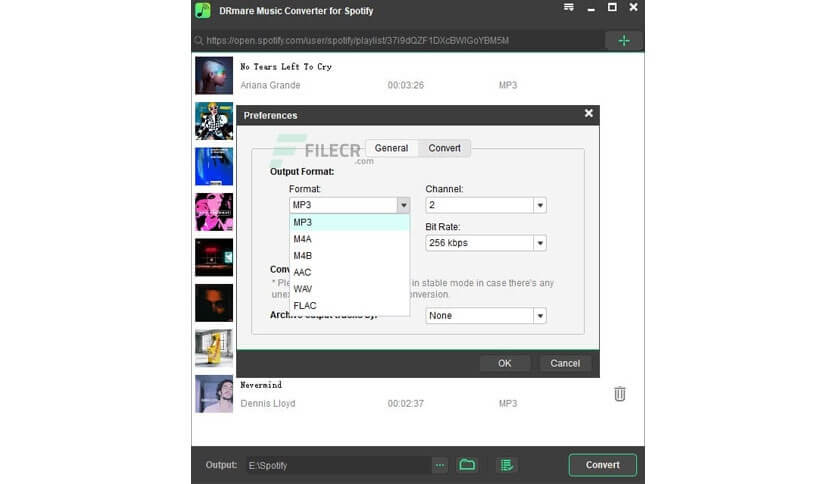
DRmare Music Converter for Mac is a powerful audio conversion tool designed for users who want to download, convert, and manage their favorite music tracks with ease. The software supports multiple audio formats, allowing users to convert protected and unprotected music files into widely compatible formats such as MP3, AAC, FLAC, WAV, and M4A. Its intuitive interface makes the conversion process simple, even for beginners.
Whether you want to enjoy your music offline, transfer songs to different devices, or create a personal music library, DRmare Music Converter provides a reliable solution. The software maintains original audio quality while converting files at high speed, ensuring an excellent listening experience. With support for batch conversion and metadata preservation, it is an ideal tool for music enthusiasts and professionals alike.
Key Features
- High-Quality Audio Conversion:
- Convert music files to popular formats while preserving the original sound quality.
- Multiple Output Formats:
- Supports MP3, AAC, FLAC, WAV, M4A, and many other audio formats.
- Fast Conversion Speed :
- Advanced technology enables quick conversion without compromising quality.
- Batch Conversion :
- Convert multiple songs simultaneously to save time and improve productivity.
- Preserve ID3 Tags :
- Keeps important metadata such as artist name, album title, genre, and cover artwork.
- User-Friendly Interface :
- Simple and clean design makes it easy for both beginners and advanced users.
- Offline Listening :
- Convert and save music files for playback without an internet connection.
How to Download and Install
- Download the latest version of DRmare Music Converter for Mac.
- Open the downloaded DMG installation file.
- Drag the application into the Applications folder.
- Launch the software from Applications.
- Follow the on-screen setup instructions.
- Add your music files and start converting.
Why Choose DRmare Music Converter?
DRmare Music Converter stands out as a comprehensive audio conversion solution for Mac users. Its combination of high-speed conversion, excellent output quality, and broad format support makes it a valuable tool for anyone looking to manage and enjoy their music collection without limitations. Whether for personal entertainment or professional audio management, DRmare Music Converter delivers a smooth and efficient experience.