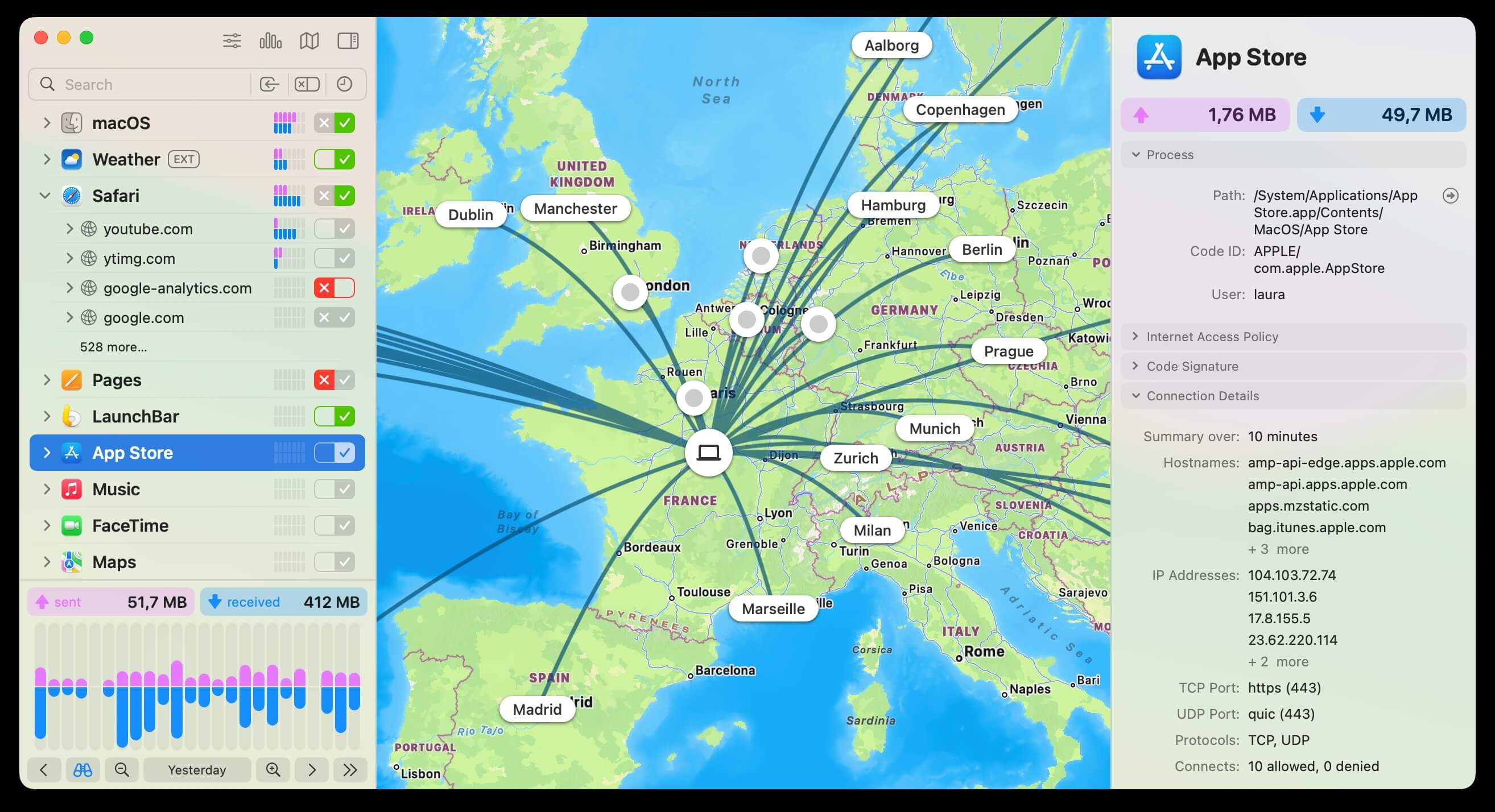
Little Snitch is a powerful macOS network monitoring and firewall control software designed to give users full visibility over their internet connections. It works in the background and alerts you whenever an application tries to send or receive data over the internet. This helps users protect their privacy, prevent unauthorized data transmission, and maintain full control over their system’s network activity. Whether you are a casual user or a professional, Little Snitch ensures that no app communicates without your permission, making it one of the most trusted security tools for Mac users.
With its clean interface and real-time monitoring system, Little Snitch allows you to easily analyze which apps are connecting to which servers worldwide. You can allow, deny, or permanently set rules for each connection, giving you complete customization over your network traffic. It also includes a silent mode for uninterrupted work and a network monitor that visually displays active connections in real time. This makes it an essential tool for users who prioritize privacy, security, and system control on macOS.
Key Features of Little Snitch (Mac)
- Real-Time Network Monitoring :
- Tracks all incoming and outgoing internet connections instantly.
- Firewall Control System :
- Allows or blocks apps from accessing the internet.
- Application Alerts :
- Notifies you when any app tries to connect online.
- Custom Rules Creation :
- Create permanent rules for trusted or blocked apps.
- Silent Mode :
- Temporarily disables alerts for uninterrupted workflow.
- Live Activity Map:
- Visual representation of global network connections.
- High Privacy Protection :
- Prevents unknown or suspicious data transfers.
- User-Friendly Interface :
- Simple and easy to manage even for beginners.
How to Download & Install Little Snitch on Mac
- Visit the official website or trusted software distributor.
- Download the latest version of Little Snitch for macOS.
- Open the downloaded .dmg file.
- Drag and drop Little Snitch into the Applications folder.
- Open the app and follow the setup instructions.
- Allow necessary system permissions for network monitoring.
- Activate or start the trial version and begin using it.