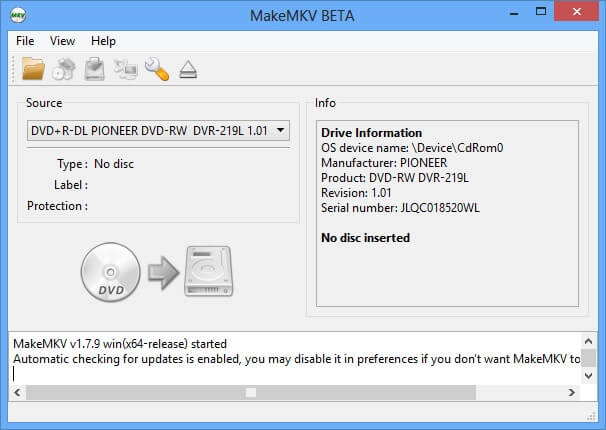
MakeMKV is a powerful video conversion utility designed for Mac users who want to back up and preserve their DVD and Blu-ray collections. The software converts physical discs into the MKV format while maintaining original video quality, audio tracks, subtitles, and metadata. Its simple interface makes the conversion process quick and accessible even for beginners.
Unlike traditional video converters that compress or modify media files, MakeMKV performs lossless conversions, ensuring that the resulting files retain the same quality as the source disc. Whether you want to archive your movie collection, create digital backups, or watch your media on multiple devices, MakeMKV offers a reliable and efficient solution for macOS users.
Key Features
- Lossless Video Conversion:
- Converts DVDs and Blu-ray discs into MKV files without reducing video or audio quality.
- Preserves Audio and Subtitles:
- Keeps all original audio tracks, subtitle streams, and chapter information intact.
- Fast Processing:
- Reads and converts discs quickly with minimal configuration required.
- User-Friendly Interface:
- Clean and straightforward design suitable for both beginners and advanced users.
- Multiple Language Support:
- Retains multilingual audio tracks and subtitle options during conversion.
- High Compatibility:
- Generated MKV files work with most modern media players and streaming devices.
- Blu-ray and DVD Support:
- Supports a wide range of optical disc formats.
- Metadata Preservation:
- Maintains chapter markers and other important disc information.
How to Download MakeMKV for Mac
- Visit the official MakeMKV website.
- Download the latest macOS version.
- Open the downloaded DMG file.
- Drag MakeMKV into the Applications folder.
- Launch the application and follow the on-screen setup instructions.
- Insert your DVD or Blu-ray disc and begin converting your media.
Why Choose MakeMKV?
MakeMKV remains one of the most trusted DVD and Blu-ray backup tools available for Mac. Its ability to create high-quality MKV files without sacrificing original content makes it an excellent choice for movie enthusiasts, collectors, and users who want secure digital backups of their media libraries.