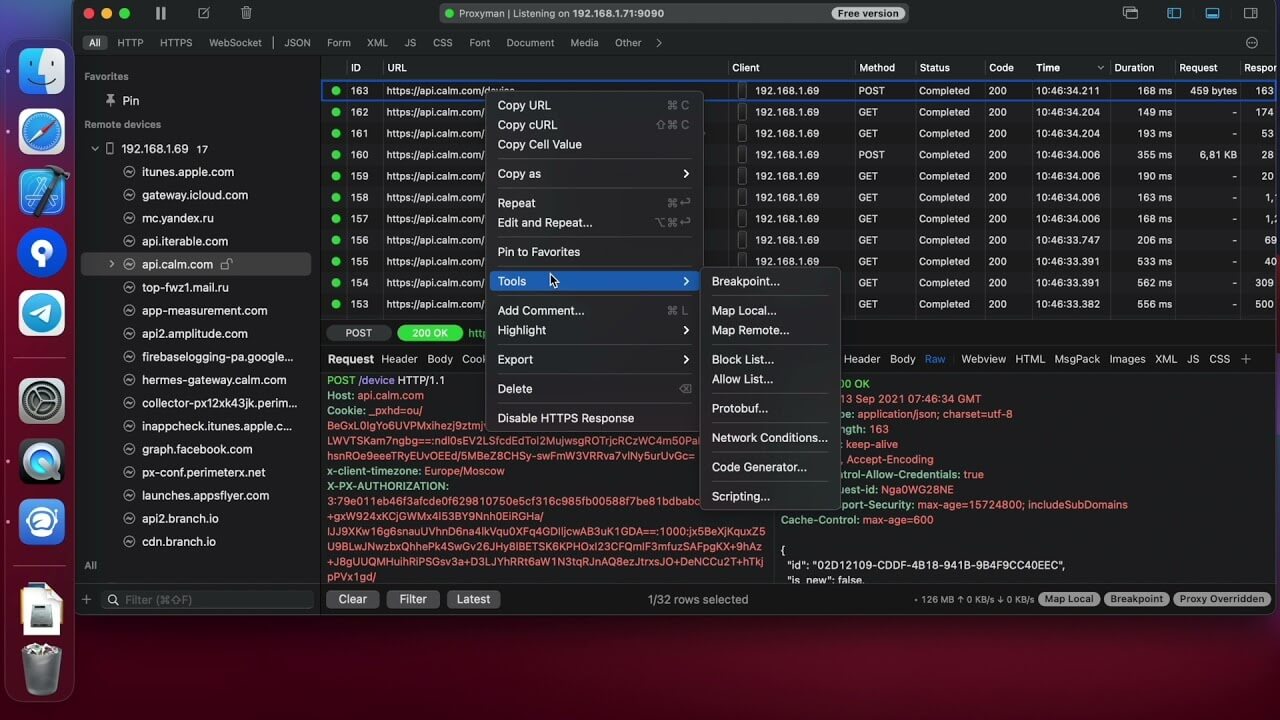
Proxyman is a professional web debugging and network inspection tool designed specifically for macOS. It allows developers, testers, and security researchers to capture, analyze, and modify HTTP/HTTPS traffic between applications and servers in real time. With its modern native macOS interface, Proxyman provides a smooth and efficient experience for monitoring network requests without slowing down your workflow.
Whether you're developing mobile apps, troubleshooting API connections, or testing web applications, Proxyman offers advanced debugging capabilities that help identify issues quickly. The software supports SSL proxying, request rewriting, breakpoint debugging, and traffic filtering, making it an essential utility for developers who need deep visibility into network communications.
Key Features
Real-Time Network Monitoring:
- Capture and inspect HTTP and HTTPS traffic instantly.
- Analyze requests and responses from apps, browsers, and APIs.
SSL Proxying Support:
- Decrypt and inspect secure HTTPS traffic safely.
- Useful for debugging encrypted network communications.
Request & Response Modification:
- Edit requests before they reach the server.
- Modify server responses for testing purposes.
Advanced Filtering Tools:
- Quickly find specific requests using filters and search options.
- Organize large amounts of network data efficiently.
Breakpoint Debugging:
- Pause requests and responses to inspect or modify data.
- Perfect for testing API behavior and application workflows.
Native macOS Design:
- Optimized for Apple Silicon and Intel-based Macs.
- Clean and user-friendly interface built for macOS.
Developer-Friendly Workflow:
- Supports REST APIs, mobile applications, web apps, and backend services.
- Helps improve debugging speed and development productivity.
How to Download and Install Proxyman on Mac
- Download the latest version of Proxyman.
- Open the downloaded DMG file.
- Drag Proxyman into the Applications folder.
- Launch the application from Applications.
- Grant the required permissions if prompted.
- Install the Proxyman SSL Certificate when HTTPS inspection is needed.
- Start capturing and analyzing network traffic.