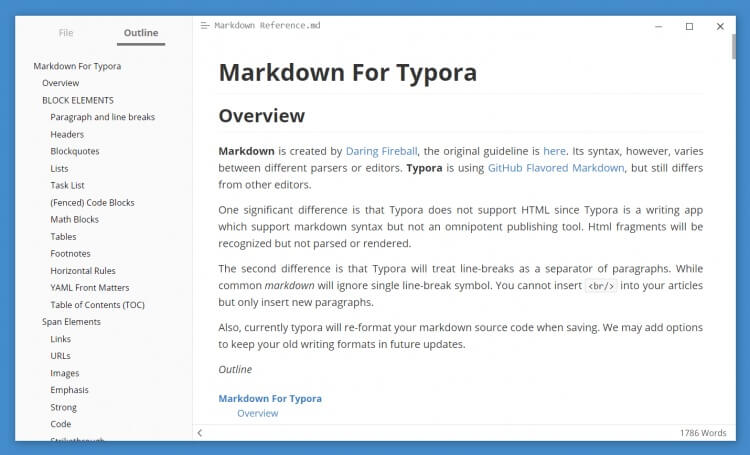
Typora is a modern Markdown editor designed for writers, developers, students, and content creators who want a distraction-free writing experience. Unlike traditional Markdown editors that split editing and preview modes, Typora offers a seamless live preview system, allowing users to see formatted content instantly while writing. Its clean interface makes document creation simple, fast, and enjoyable.
Whether you're creating blog posts, technical documentation, notes, or academic papers, Typora provides all the tools needed to boost productivity. The application supports tables, code blocks, diagrams, mathematical formulas, and multiple export formats, making it one of the most versatile Markdown editors available for macOS users.
Key Features of Typora
- Live Markdown Preview:
- View formatted content instantly without switching between editor and preview modes.
- Distraction-Free Interface:
- Minimalistic design helps users stay focused on writing.
- Support for Mathematical Expressions:
- Easily insert and display LaTeX-based mathematical formulas.
- Code Block Highlighting:
- Syntax highlighting for numerous programming languages.
- Diagram Support:
- Create flowcharts, sequence diagrams, and Mermaid diagrams directly within documents.
- Multiple Export Options:
- Export documents to PDF, Word, HTML, EPUB, and more.
- Custom Themes:
- Personalize the editor with a variety of built-in and custom themes.
- File Management:
- Organize and manage Markdown files efficiently.
- Cross-Platform Compatibility:
- Works seamlessly across macOS, Windows, and Linux systems.
How to Download and Install Typora on Mac ?
- Download the latest version of Typora for macOS.
- Open the downloaded DMG file.
- Drag the Typora icon into the Applications folder.
- Launch the application from Launchpad or Applications.
- Start creating and editing Markdown documents immediately.
Why Choose Typora?
Typora combines simplicity with powerful document editing capabilities, making it an excellent choice for professionals, students, developers, and writers. Its real-time preview, elegant interface, and advanced Markdown support provide a smooth writing experience that helps users focus on content rather than formatting. If you're looking for a lightweight yet feature-rich Markdown editor for Mac, Typora is one of the best options available.