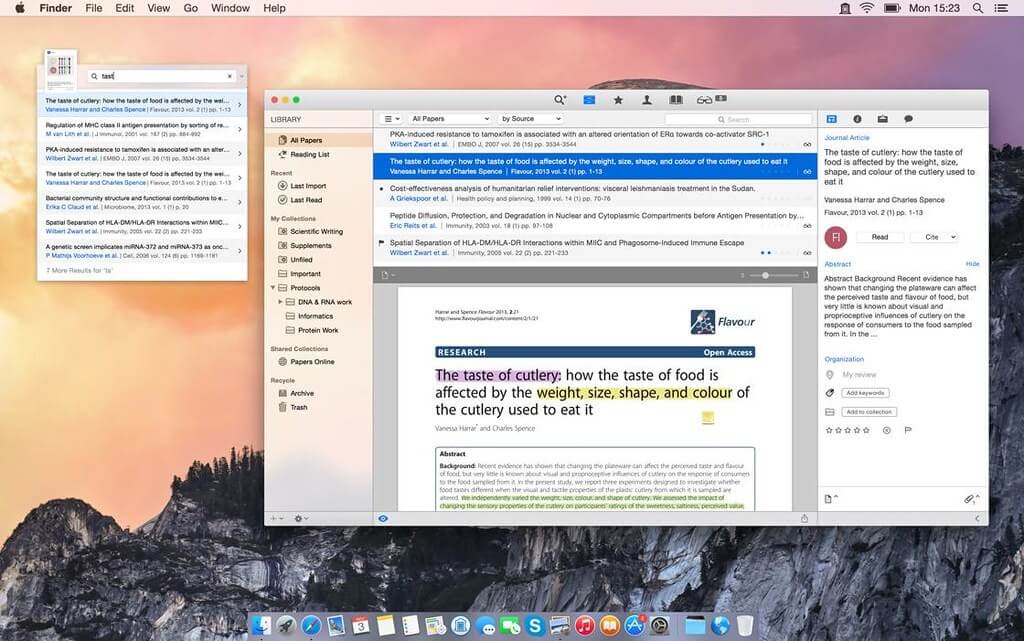
Papers is a powerful reference management software designed for macOS users who want to organize, read, and manage their research papers and documents in one clean and efficient workspace. It is widely used by students, researchers, and professionals to keep all academic materials structured and easily accessible. With its modern interface and smart organization tools, Papers helps users focus more on research and less on file management.
The software allows you to import PDFs, organize references automatically, and sync your library across devices. It also supports citation tools, making it easier to write research papers, articles, and academic reports without manual formatting. Whether you are managing a small study project or a large research database, Papers provides a smooth and reliable experience on macOS.
Key Features
- Smart PDF and Reference Management :
- Easily organize all your research papers, PDFs, and academic documents in one place. Papers automatically sorts files so you can quickly find what you need without wasting time.
- Automatic Citation Generation :
- Save time while writing research work. The software automatically creates properly formatted citations and bibliographies in different styles like APA, MLA, and Chicago.
- Cloud Sync Across Devices :
- Access your research library anywhere. Papers keeps your files synced across all your devices so you never lose important documents or references.
- Advanced Search and Tagging System :
- Quickly locate any document using powerful search tools. You can also add custom tags to organize your library in a smarter and more flexible way.
- Clean and Distraction-Free Reading Mode :
- Focus on reading without interruptions. The clean interface removes distractions so you can concentrate fully on your research material.
- Integration with Word Processors :
- Easily connect Papers with tools like Microsoft Word or other writing apps. This makes inserting citations and references into your documents simple and fast.
How to Download / Install (macOS)
- Visit the official website of Papers software
- Download the macOS installer file (.dmg)
- Open the downloaded file and drag Papers into Applications folder
- Launch the app and complete setup
- Sign in or import your existing library