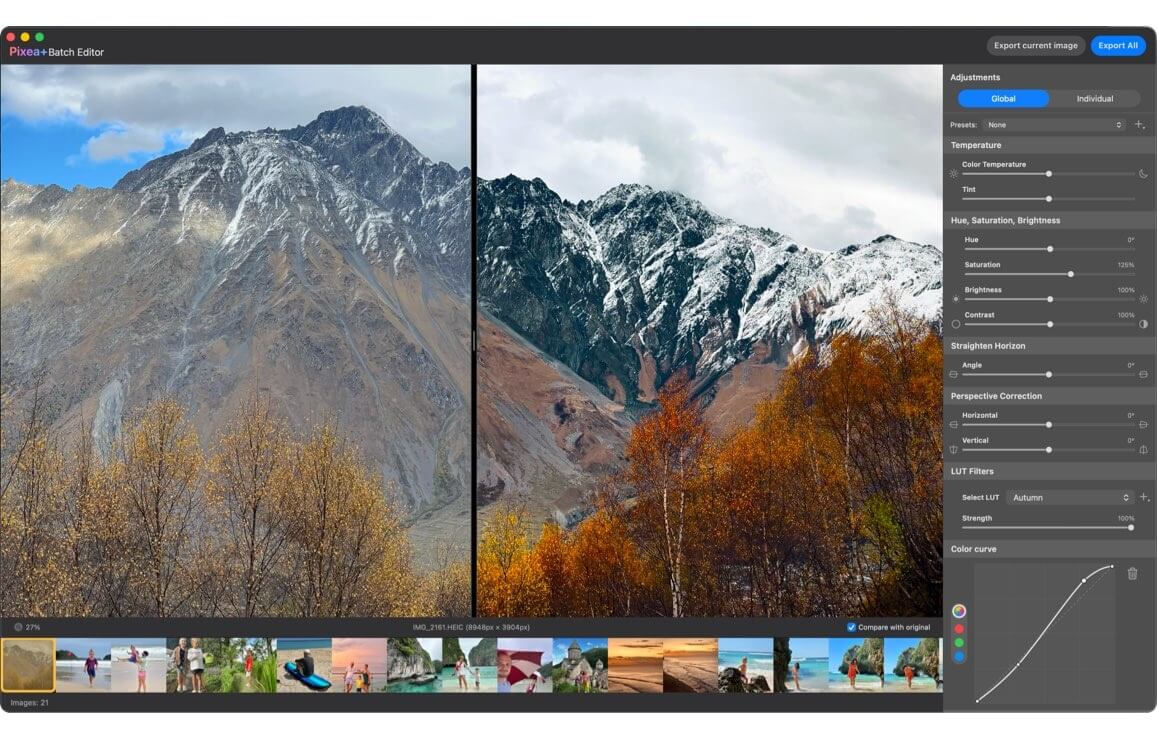
Pixea for Mac is a lightweight and powerful image viewer designed specifically for macOS users who want a clean, distraction-free way to browse and manage images. It supports a wide range of popular image formats, including JPG, PNG, HEIC, PSD, RAW, and many others, making it a versatile tool for photographers, designers, and everyday users. Unlike traditional photo viewers, Pixea focuses on simplicity and performance, offering a minimal interface that allows users to concentrate fully on their visuals without unnecessary controls or clutter.
One of the key strengths of Pixea is its speed and smooth performance, even when handling large image files or high-resolution photo collections. It also includes useful features like zooming, image rotation, basic file navigation, and quick preview options. The app is optimized for macOS, ensuring native performance and seamless integration with Finder. Whether you are organizing a photo library or reviewing professional work, Pixea provides a fast and reliable viewing experience.
Key Features
- Clean and minimal user interface designed for distraction-free viewing.
- Supports multiple formats including JPG, PNG, HEIC, TIFF, PSD, and RAW.
- Fast image loading and smooth navigation between files.
- Zoom, rotate, and fit-to-screen viewing options.
- Folder-based browsing with quick file switching.
- Optimized for macOS performance and Retina displays.
- Lightweight application with low system resource usage.
How to Download / Install Pixea on Mac:
- Open the official Mac App Store on your macOS device
- Search for “Pixea” in the search bar
- Click on the app from the results
- Press the Download or Get button
- Wait for installation to complete automatically
- Open Pixea from Launchpad or Applications folder