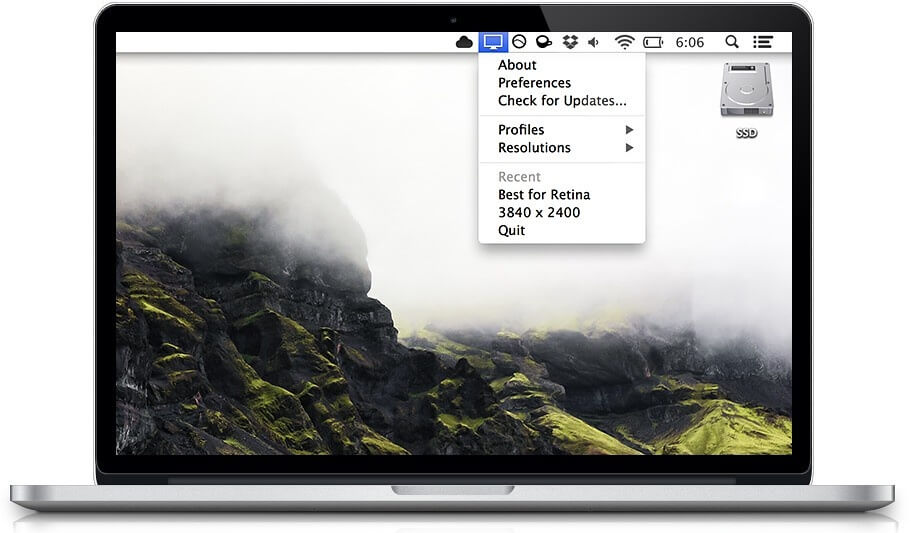
QuickRes is a powerful yet lightweight macOS utility designed to give users full control over screen resolution settings. It allows you to quickly switch between different display resolutions directly from the menu bar without going into system settings. This makes it especially useful for designers, developers, and users who frequently switch between retina and scaled resolutions for productivity, testing, or visual optimization. QuickRes enhances workflow efficiency by providing instant access to multiple resolution profiles.
With its clean interface and smooth performance, QuickRes helps Mac users maximize their screen real estate or improve clarity based on their needs. Whether you're working on high-resolution graphics, coding, or multitasking, this tool ensures that you can adjust your display instantly with just a few clicks. It is optimized for macOS and integrates seamlessly with Apple’s display system, making it a reliable utility for everyday use.
Key Features of QuickRes
- Instant Resolution Switching:
- Change screen resolution directly from the menu bar without restarting or opening system preferences.
- Retina & Scaled Modes:
- Easily toggle between Retina and non-Retina display modes for better clarity or more workspace.
- Multiple Display Support:
- Works smoothly with external monitors and multi-display setups.
- Custom Resolution Profiles:
- Save preferred display settings for quick access anytime.
- Lightweight Performance:
- Runs in the background with minimal system resource usage.
- Developer-Friendly Tool:
- Ideal for UI/UX testing, app development, and design previews.
How to Download and Install QuickRes (Mac)
- Download the latest version of QuickRes from a trusted Mac software source or official distribution page.
- Open the downloaded .dmg file.
- Drag and drop QuickRes into the Applications folder.
- Launch the app from Launchpad or Applications.
- Grant necessary permissions if prompted by macOS security settings.
- The app will appear in the menu bar, ready to use.