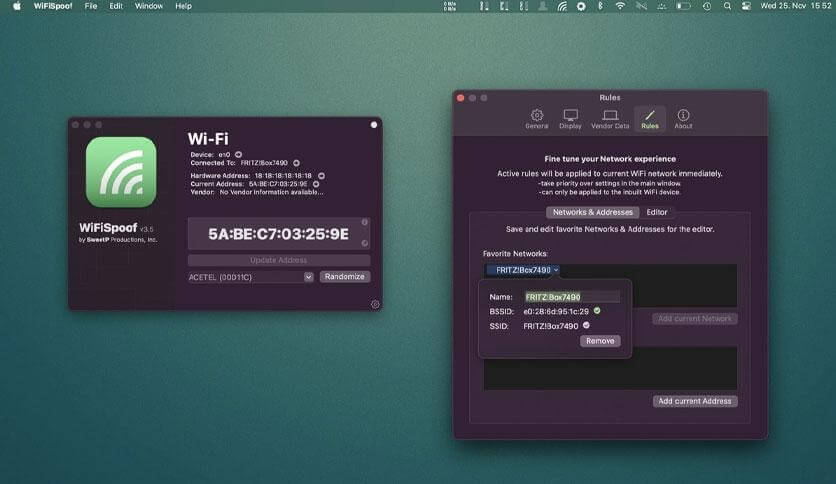
WiFiSpoof is a professional macOS utility designed to help users manage and change their MAC address quickly and securely. It is widely used by network administrators, developers, and privacy-focused users who want better control over their network identity on Mac devices. The software provides a simple and clean interface that allows users to spoof their MAC address without requiring complex terminal commands. This makes it a practical tool for testing networks, improving privacy, and troubleshooting connectivity issues on macOS systems.
The application is especially useful in environments where network restrictions, tracking, or device identification needs to be managed. WiFiSpoof ensures that users can temporarily change their network hardware address with just a few clicks. It supports both advanced users who need detailed control and beginners who prefer an easy, guided experience. Because of its efficiency and reliability, it has become a popular choice among macOS networking tools.
Key Features
- MAC Address Spoofing:
- Easily change your Mac device’s WiFi MAC address with a single click for privacy or testing purposes.
- User-Friendly Interface:
- Clean and simple design that makes it easy for both beginners and professionals to use.
- Network Privacy Control:
- Helps protect your real hardware identity while connected to different networks.
- Advanced Configuration:
- Allows manual input and random generation of MAC addresses for flexible usage.
- Quick Restore Option:
- Instantly revert back to the original MAC address whenever needed.
- Lightweight Performance:
- Runs smoothly on macOS without slowing down system performance.
How to Download and Install WiFiSpoof (macOS)
To download WiFiSpoof, visit the official developer website or trusted macOS software distributors. Follow the steps below to install it properly:
- Download the DMG file from the official or trusted source.
- Open the downloaded DMG file on your Mac.
- Drag the WiFiSpoof application into the Applications folder.
- Wait for the copying process to complete.
- Open the app from the Applications folder.
- Grant necessary permissions for network access when prompted.
- Enter your Mac administrator password if required to allow MAC address changes.
- Start using WiFiSpoof directly from the application interface after setup.