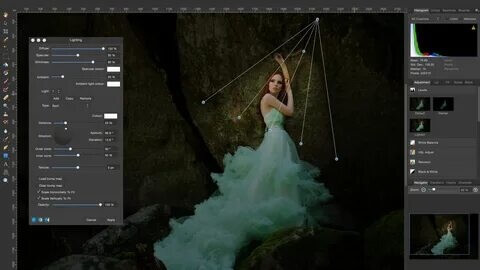
Affinity Photo for Mac is a powerful and professional-grade photo editing software designed for photographers, designers, and digital artists. It offers advanced editing tools that rival industry-leading applications while maintaining smooth performance on macOS. Whether you are retouching images, creating digital artwork, or working on complex compositions, Affinity Photo provides everything you need in one clean and fast interface.
This software is widely known for its non-destructive editing workflow, high-resolution support, and precision tools. It is optimized specifically for Mac users, ensuring stability and speed even when working with large image files. With its modern design and professional tools, Affinity Photo is a strong alternative to subscription-based editing software.
Key Features of Affinity Photo (Mac)
- Professional Photo Editing Tools:
- Includes retouching, healing, cloning, and advanced correction tools for perfect image adjustments.
- Non-Destructive Workflow:
- Edit images without permanently changing the original file.
- Advanced Layer System:
- Work with multiple layers, masks, blend modes, and effects for detailed editing.
- RAW Editing Support:
- Fully supports RAW image processing for DSLR and mirrorless camera files.
- High-Performance Engine:
- Smooth editing even with large and high-resolution files.
- PSD File Compatibility:
- Open and edit Adobe Photoshop files easily.
- Vector Tools Included:
- Combine raster and vector design in one software.
- Mac Optimization:
- Fully optimized for macOS performance and Apple hardware.
How to Download & Install Affinity Photo on Mac?
- Visit the official Affinity website or Mac App Store.
- Search for Affinity Photo.
- Click on Download / Buy Now.
- Install the setup file on your Mac.
- Launch the software and complete the activation process.
- Start editing your photos professionally.