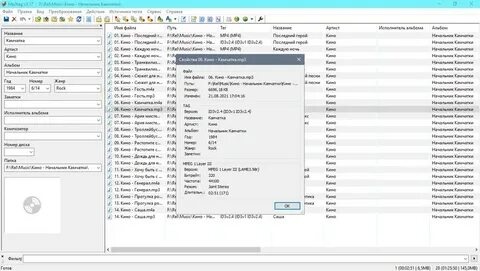
MP3tag is a professional audio metadata editing tool designed to help Mac users organize their digital music collections quickly and efficiently. The software allows you to edit song information such as title, artist, album name, genre, track number, cover artwork, and other tags. With its clean interface and powerful features, MP3tag makes it easy to keep your music library properly organized.
MP3tag supports multiple audio formats and provides advanced options for managing large music collections. Users can automatically import tag information, rename files based on metadata, add album covers, and maintain a well-structured music library. It is a lightweight and reliable solution for anyone who wants complete control over their audio files on macOS.
Key Features
- Advanced Metadata Editing:
- Edit music information including artist, album, title, year, genre, track number, and comments with ease.
- Support Multiple Audio Formats:
- Works with popular audio formats such as MP3, AAC, FLAC, M4A, OGG, and more.
- Automatic Tag Importing:
- Retrieve missing song information from online databases to complete your music collection.
- Album Artwork Management:
- Add, remove, or replace cover images for your songs and albums.
- Batch Tag Editing:
- Modify metadata for multiple audio files at the same time, saving time when managing large libraries.
- File Renaming Tools:
- Rename music files automatically based on their existing tags and folder structure.
- Simple and User-Friendly Interface:
- Designed with an easy workflow that allows beginners and advanced users to manage music files efficiently.
How to Download MP3tag for Mac?
- Visit the official MP3tag website and download the macOS version.
- Open the downloaded installation file.
- Drag MP3tag into the Applications folder.
- Launch the application and start editing your music metadata.