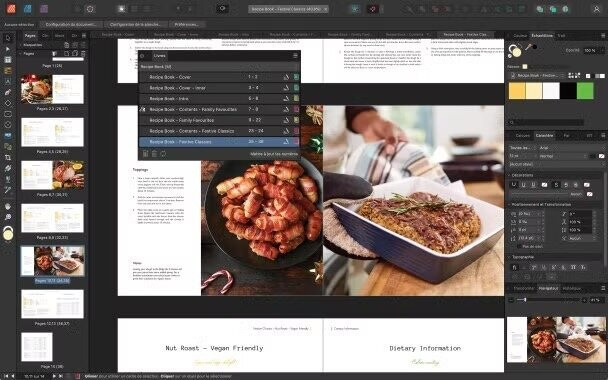
Affinity Publisher for Mac is a professional desktop publishing software designed for creating magazines, books, brochures, posters, and digital layouts with precision and speed. It is part of the Affinity creative suite developed by Serif, offering a powerful alternative to traditional publishing tools. With a smooth macOS-optimized performance, it allows designers and content creators to handle complex layouts, typography, and high-resolution images without lag or performance issues. Whether you are a beginner or a professional designer, Affinity Publisher provides a clean and intuitive workspace for producing high-quality print and digital content.
One of the strongest advantages of Affinity Publisher is its seamless integration with other Affinity apps like Affinity Photo and Affinity Designer, enabling a complete creative workflow. It supports advanced typography tools, master pages, linked text frames, and real-time collaboration features. The software also ensures accurate print-ready exports, making it ideal for commercial publishing projects. Its one-time purchase model (no subscription) makes it a cost-effective choice for macOS users who want professional publishing power.
Key Features:
- Advanced layout tools for magazines, books, and brochures.
- StudioLink integration with Affinity Photo & Designer.
- Real-time performance with large documents.
- Professional typography controls and text styling.
- Master pages and flexible grid systems.
- High-quality print and digital export options.
- Support for PSD, PDF, EPS, and other formats.
- Non-destructive editing workflow.
How to Download / Install Affinity Publisher (Mac) ?
- Visit the official Affinity website or Mac App Store.
- Search for “Affinity Publisher”
- Click on the download or purchase button.
- Install the software by following on-screen instructions.
- Launch and activate the app using your Affinity account.