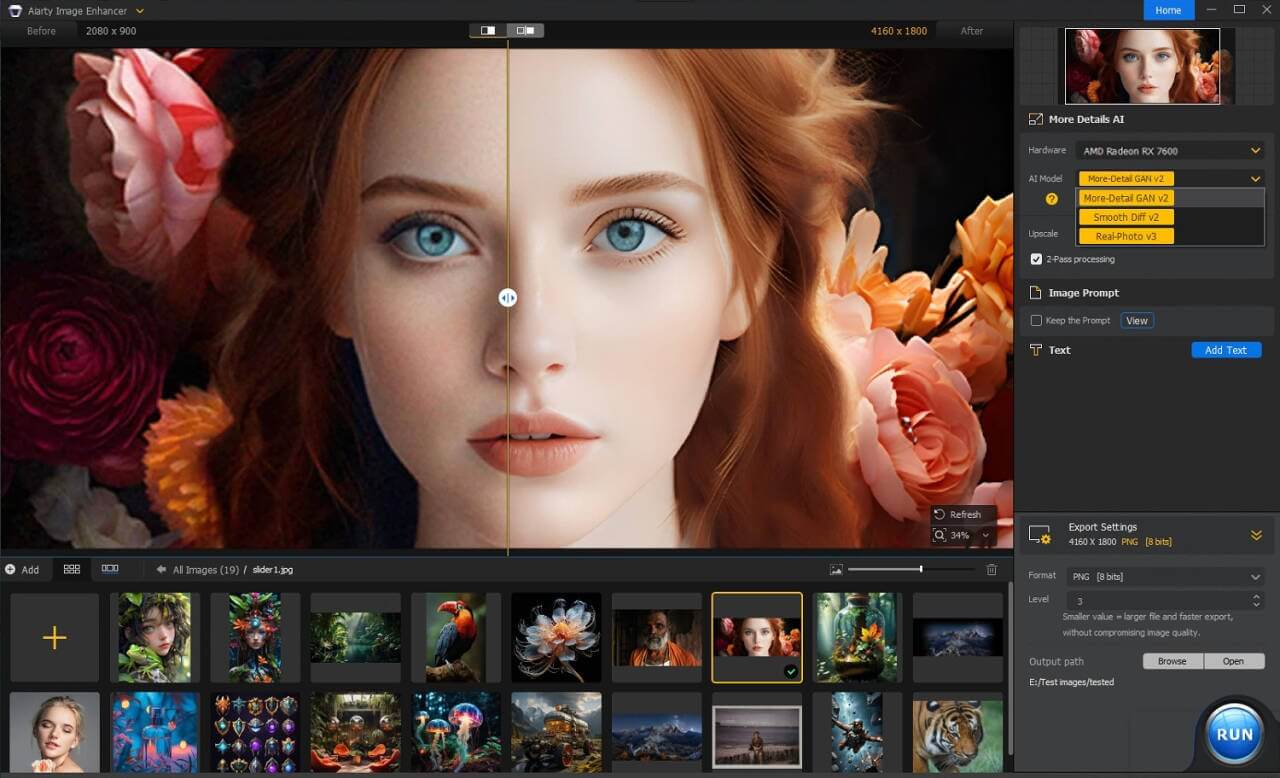
Aiarty Image Enhancer is a powerful AI-based image upscaling and enhancement tool designed for Mac users who want to improve photo quality without losing detail. It uses advanced artificial intelligence algorithms to sharpen blurry images, restore old photos, reduce noise, and upscale low-resolution pictures into high-quality visuals. Whether you are a photographer, designer, or content creator, this software helps you transform ordinary images into professional-grade results within seconds.
This tool is especially useful for macOS users who deal with product images, social media visuals, or digital artwork. Instead of manually editing photos, Aiarty Image Enhancer automatically detects imperfections and enhances clarity, colors, and textures. It is designed with a simple interface, making it suitable for beginners as well as professionals who need fast and reliable image processing.
Key Features
- AI-powered image upscaling up to high resolution without quality loss.
- Smart noise reduction for clear and clean images.
- Old photo restoration with detail reconstruction.
- Automatic sharpening of blurry or low-quality images.
- Batch processing support for multiple images at once.
- User-friendly interface optimized for macOS.
- Fast rendering with GPU acceleration support.
How to Download & Install (macOS)
- Download the Aiarty Image Enhancer setup file from a trusted source or official website.
- Open the downloaded .dmg file on your Mac.
- Drag and drop the application into the Applications folder.
- Launch the software from Launchpad or Applications folder.
- Follow on-screen setup instructions to start enhancing images.