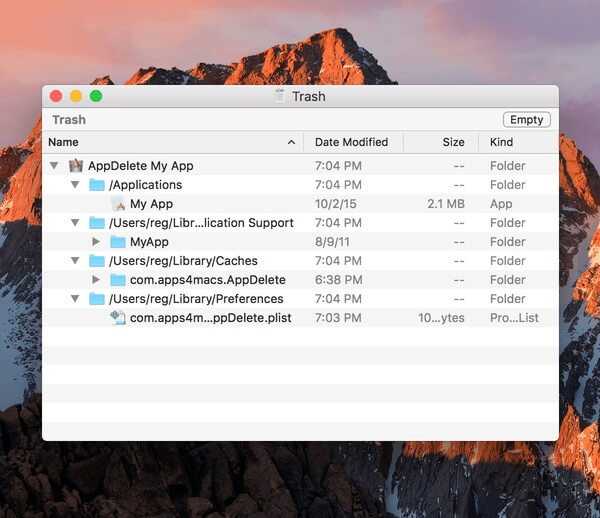
AppDelete 4.1.2 is a powerful application uninstaller designed exclusively for macOS that helps users completely remove unwanted apps, widgets, plugins, preference files, and other hidden data. Unlike dragging an app to the Trash, AppDelete scans your Mac for associated files and deletes them safely, helping you recover valuable storage space and keep your system clean. It offers a simple drag-and-drop interface, making it suitable for both beginners and advanced Mac users.
Whether you're uninstalling large applications or cleaning leftover files from previously removed software, AppDelete 4.1.2 provides an efficient and reliable solution. It supports modern macOS versions and includes smart search tools, archive options, and secure deletion features to ensure your Mac remains organized and performs at its best.
Key Features
- Complete Application Removal:
- Deletes applications along with all related preference files, caches, logs, and support folders.
- Drag-and-Drop Interface:
- Simply drag any application into AppDelete to instantly scan for associated files.
- Smart File Detection:
- Automatically finds hidden files and folders that standard uninstall methods often leave behind.
- Widget & Plugin Cleanup:
- Removes widgets, preference panes, screen savers, plugins, and other macOS components.
- Archive Before Deletion:
- Allows you to archive deleted items before permanently removing them for extra safety.
- Secure Deletion:
- Permanently erase files to prevent data recovery when needed.
- Fast Search Function:
- Quickly locate installed applications and their related files.
- macOS Optimized:
- Fully designed for Apple's operating system with excellent compatibility and performance.
How to Download?
- Download the AppDelete 4.1.2 installer from a trusted Mac software source.
- Open the downloaded DMG file.
- Drag AppDelete into the Applications folder.
- Launch the application from Applications.
- If prompted, allow the necessary macOS permissions.
- Start uninstalling unwanted applications with complete file cleanup.