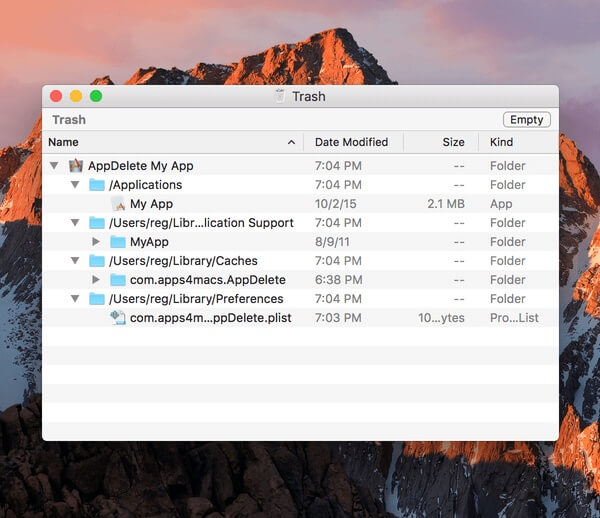
AppDelete 4.1.4 is a powerful macOS utility designed to completely remove unwanted applications and their related files from your Mac. Unlike the default uninstall method, which often leaves behind hidden support files, caches, preferences, and temporary data, AppDelete scans your system and deletes all associated components to help keep your Mac clean and optimized. With its simple drag-and-drop interface, users can quickly uninstall apps, widgets, plugins, and other unwanted items without technical knowledge.
AppDelete 4.1.4 provides a safe and efficient way to manage Mac applications while improving storage space and system organization. The software includes smart scanning features that find leftover files and allows users to review items before deletion. It is a lightweight and easy-to-use tool for Mac users who want a cleaner system and better control over installed applications.
Key Features
- Complete Application Removal:
- Removes applications along with hidden files, preferences, caches, and support folders that are usually left behind.
- Drag & Drop Uninstaller:
- Easily uninstall any application by dragging it into AppDelete’s window.
- Safe Delete Option:
- Allows users to check detected files before permanently removing them from the system.
- Remove Widgets and Plugins:
- Supports deleting unwanted Dashboard widgets, plugins, preference panes, and other system components.
- Search and Manage Apps:
- Helps users find installed applications and manage unnecessary software efficiently.
- Lightweight Performance:
- Runs smoothly in the background without consuming excessive system resources.
How to Download ?
- Download the AppDelete 4.1.4 DMG file for macOS.
- Open the downloaded DMG package and drag AppDelete to the Applications folder.
- Launch the application from the Applications folder.
- Grant required permissions if requested.
- Start removing unwanted applications and leftover files from your Mac.