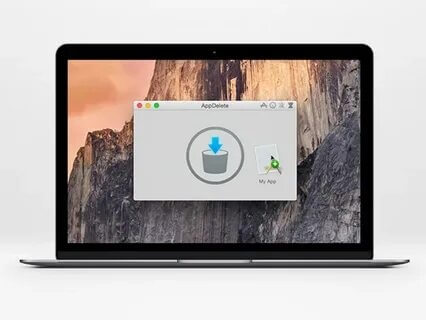
AppDelete 4.3.2 is a powerful macOS utility designed to help users completely remove unwanted applications and their associated files from Mac computers. Unlike the default uninstall method, AppDelete searches for and deletes hidden support files, preferences, caches, and other leftover data that applications leave behind. With its simple drag-and-drop interface, users can easily uninstall apps and free up valuable storage space while keeping their Mac clean and organized.
AppDelete 4.3.2 provides a fast and efficient way to manage installed applications on macOS. The lightweight tool is suitable for both beginners and advanced Mac users who want better control over software removal. It helps improve system performance by removing unnecessary files and ensures that deleted applications do not leave behind unwanted traces.
Key Features
- Complete Application Removal:
- Removes applications along with related files, including settings, caches, logs, and hidden support files.
- Drag-and-Drop Uninstalling:
- Provides an easy interface where users can simply drag an application into AppDelete to start the removal process.
- Finds Leftover Files:
- Automatically scans your Mac for associated files that are normally missed during standard app deletion.
- System Cleanup Tool:
- Helps recover storage space by removing unnecessary application data and unused files.
- Safe Removal Process:
- Allows users to review detected files before deletion to avoid removing important data accidentally.
- User-Friendly Interface:
- Designed with a simple macOS-style interface that makes application management quick and easy.
How to Download ?
- Download the AppDelete 4.3.2 DMG file for macOS.
- Open the downloaded DMG package.
- Drag the AppDelete application into the Applications folder.
- Launch AppDelete from the Applications folder.
- Allow required permissions if requested.
- Start removing unwanted applications from your Mac.