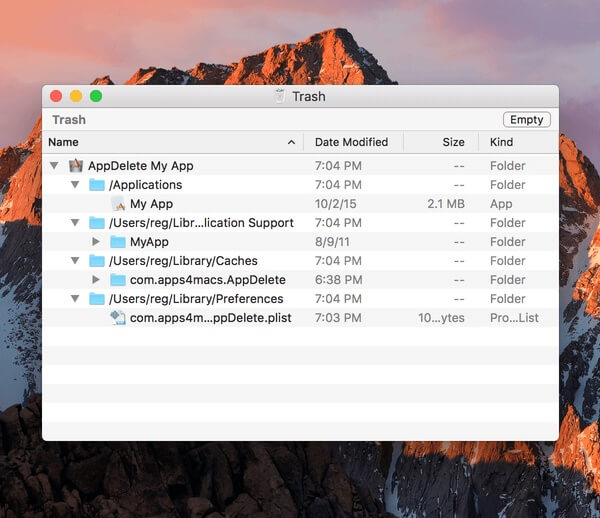
AppDelete for Mac is a powerful macOS uninstaller that helps users completely remove applications along with all their associated files, including preferences, caches, logs, plugins, and support files. Unlike dragging an app to the Trash, AppDelete performs a deep scan to locate hidden files that are left behind, helping keep your Mac clean, organized, and running efficiently. Its intuitive interface makes it suitable for both beginners and advanced users who want complete control over installed software.
Whether you're uninstalling old applications, cleaning up storage space, or removing leftover files from previously deleted programs, AppDelete offers a reliable solution. The software also supports widgets, screen savers, preference panes, plugins, and other macOS components. With its secure deletion options and smart scanning engine, AppDelete ensures that unnecessary files don't accumulate and slow down your Mac over time.
Key Features:
- Complete Application Removal:
- Removes apps together with all related support files, caches, preferences, and logs.
- Deep System Scan:
- Detects hidden files that are normally left behind after uninstalling applications.
- Drag & Drop Interface:
- Simply drag an application into AppDelete to begin the uninstall process.
- Supports Multiple File Types:
- Removes applications, widgets, plugins, screen savers, preference panes, and more.
- Safe Deletion:
- Review detected files before deleting them to avoid accidental removal.
- Storage Cleanup:
- Frees valuable disk space by eliminating unnecessary leftover files.
- User-Friendly Design:
- Clean and intuitive interface designed specifically for macOS users.
- Fast Performance:
- Quickly scans and removes unwanted applications with minimal system impact.
How to Download?
- Download the latest version of AppDelete for Mac from a trusted source.
- Open the downloaded DMG file.
- Drag AppDelete into the Applications folder.
- Launch the application from Applications.
- If prompted, allow the required permissions in macOS Settings.
- Start removing unwanted applications and their leftover files.