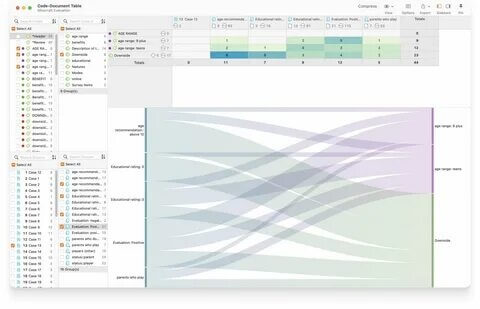
ATLAS.ti 25 for Mac is a professional qualitative data analysis (QDA) software designed for researchers, students, and businesses that need to organize and analyze large amounts of textual, audio, video, and survey data. The software provides powerful coding tools, visualization features, and collaboration options that help users uncover patterns and insights from complex research projects. Whether you're conducting academic research, market studies, or social science investigations, ATLAS.ti simplifies the entire analytical process.
The latest version introduces improved AI-powered coding assistance, enhanced data visualization tools, and better collaboration features for research teams. Users can import documents, create custom codes, generate network diagrams, and produce detailed reports with ease. Its intuitive interface and advanced analytical capabilities make ATLAS.ti one of the leading qualitative research solutions available for macOS.
Key Features
- Advanced Data Coding
- Create, manage, and organize codes efficiently.
- Apply manual and automatic coding techniques.
- Support for Multiple File Types
- Analyze text documents, PDFs, audio recordings, videos, and images.
- Import survey data from various sources.
- AI-Powered Analysis
- Intelligent suggestions for coding and categorization.
- Faster identification of themes and patterns.
- Network Visualization
- Build visual relationship maps between codes and concepts.
- Generate interactive diagrams for presentations.
- Powerful Search & Query Tools
- Perform complex searches across projects.
- Filter data using advanced query options.
- Collaboration Features
- Work with research teams on shared projects.
- Synchronize and merge project data efficiently.
- Comprehensive Reporting
- Export reports in multiple formats.
- Create professional research documentation.
- User-Friendly Interface
- Clean and modern design optimized for macOS.
- Easy navigation for beginners and professionals.
How to Download
- Download the installation package from the official source or trusted software provider.
- Open the downloaded DMG file on your Mac.
- Drag ATLAS.ti into the Applications folder.
- Launch the application and complete the activation process if required.
- Start creating and managing your research projects.