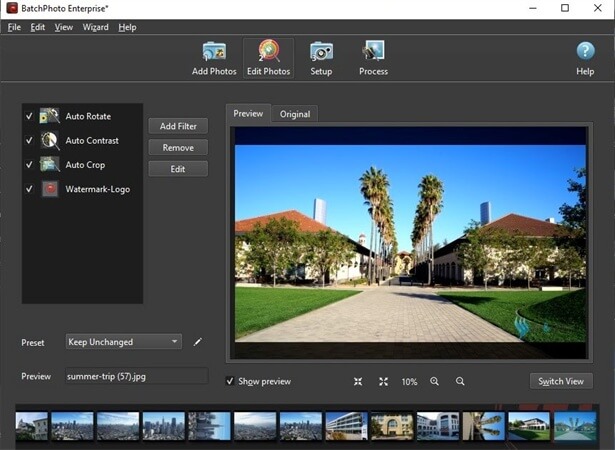
BatchPhoto for Mac is a powerful batch image processing software designed to help photographers, designers, and content creators quickly edit multiple photos at once. Instead of editing images one by one, BatchPhoto allows users to apply filters, resize, convert formats, add watermarks, and rename large sets of photos in just a few clicks. It is widely used for improving workflow efficiency, especially when dealing with thousands of images. The software is optimized for macOS and provides a simple interface that makes advanced photo editing accessible even for beginners.
With BatchPhoto, users can automate repetitive editing tasks and save a huge amount of time. It supports drag-and-drop functionality, multiple editing profiles, and preset workflows that can be reused anytime. Whether you are preparing images for a website, social media, or professional photography projects, BatchPhoto ensures consistent quality across all files while maintaining original image integrity.
Key Features:
- Batch Image Processing:
- Edit hundreds or thousands of images simultaneously without losing quality.
- Resize & Convert:
- Easily change image dimensions and convert between formats like JPG, PNG, TIFF, and more.
- Watermarking Tools:
- Add text or image watermarks to protect your photos.
- Automatic Renaming:
- Organize files with custom naming rules.
- Filters & Effects:
- Apply professional-grade adjustments such as brightness, contrast, and color correction.
- Preset Profiles:
- Save editing workflows for repeated use.
- Drag & Drop Support:
- Simple and fast file handling.
How to Download & Install BatchPhoto on Mac:
- Visit the official BatchPhoto website or trusted software distributor.
- Download the macOS version of the installer file.
- Open the downloaded .dmg file on your Mac.
- Drag the BatchPhoto app into the Applications folder.
- Launch the software and activate it if required.