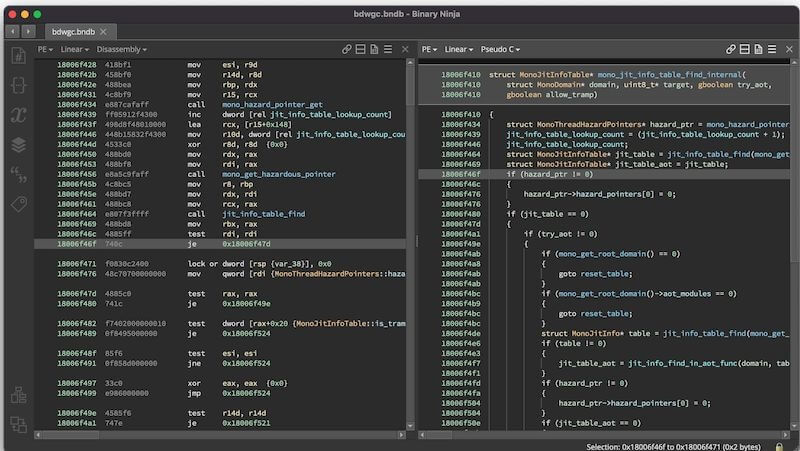
Binary Ninja is a powerful reverse engineering and binary analysis platform designed for security researchers, malware analysts, and software developers. The software provides an intuitive interface and advanced analysis features that make understanding compiled programs easier than traditional disassemblers. With its interactive workflow and customizable scripting capabilities, Binary Ninja has become one of the preferred tools for vulnerability research and software analysis.
The application supports multiple architectures and operating systems while offering both static and dynamic analysis capabilities. Its clean user interface, advanced decompiler, and extensive plugin ecosystem allow professionals to inspect binaries, identify vulnerabilities, and perform in-depth code analysis efficiently. Whether you're a beginner learning reverse engineering or an experienced security researcher, Binary Ninja delivers the tools needed for professional binary examination on macOS.
Key Features of Binary Ninja
- Advanced Binary Analysis Engine:
- Performs fast and accurate analysis of executable files.
- Interactive Disassembler:
- Easily navigate assembly code with a user-friendly interface.
- Powerful Decompiler:
- Converts machine code into readable high-level code.
- Cross-Platform Support:
- Works with Windows, Linux, and macOS binaries.
- Scripting API:
- Supports Python and C++ APIs for automation and custom workflows.
- Plugin System:
- Extend functionality using community-created plugins.
- Multiple Architecture Support:
- Analyze ARM, x86, x64, MIPS, and many other architectures.
- Graph View Navigation:
- Visualize program flow with interactive graphs.
- Malware Analysis Tools:
- Ideal for investigating malicious software and security threats.
- Regular Updates:
- Receives continuous improvements and new features from developers.
How to Download Binary Ninja for Mac
- Download the latest version of Binary Ninja for macOS.
- Extract the downloaded file if it is compressed.
- Open the DMG installer and drag Binary Ninja to the Applications folder.
- Launch the software from Applications.
- Activate your license if required and start analyzing binaries.
Why Download Binary Ninja for Mac?
- Binary Ninja offers an excellent balance between ease of use and advanced reverse engineering capabilities. Its modern interface, powerful decompiler, and extensive scripting support make it one of the best binary analysis tools available for macOS. Whether you're performing malware research, vulnerability assessments, or software debugging, Binary Ninja provides a professional environment for deep code analysis.