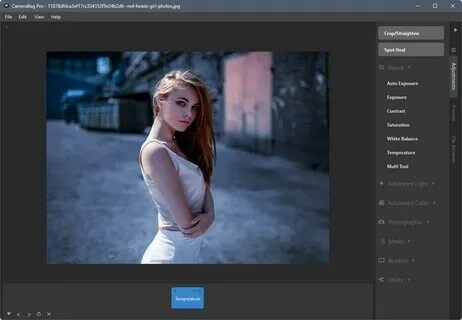
CameraBag Pro is a powerful and professional-grade photo editing application designed specifically for macOS users who want advanced editing tools with a simple, intuitive interface. It allows photographers, designers, and content creators to enhance images using high-quality filters, precise adjustments, and non-destructive editing tools. Unlike heavy and complex editors, CameraBag Pro focuses on speed and usability while still delivering professional-level results.
This software is widely used for batch photo processing, film-style color grading, and creative image enhancement. Whether you are editing social media content or working on professional photography projects, CameraBag Pro provides a flexible workflow that helps you achieve consistent and polished results quickly. Its lightweight design makes it a strong alternative to traditional photo editors like Photoshop for users who prioritize speed and simplicity.
Key Features
- Advanced Filters & Presets
- Comes with a wide range of professional filters that can be customized and saved for future use, helping you maintain a consistent editing style.
- Non-Destructive Editing
- All edits are reversible, allowing you to experiment freely without permanently altering your original images.
- Batch Processing
- Edit multiple images at once, saving time when working with large photo collections or client projects.
- Color Correction Tools
- Fine-tune exposure, contrast, highlights, shadows, and color balance with precision controls.
- Film-Style Effects
- Apply cinematic looks and analog film-inspired effects for creative photography styles.
- Layer-Based Adjustments
- Stack multiple effects and adjustments for more advanced editing control.
How to Download & Install (Mac)
- Visit the official website or trusted software distributor.
- Search for CameraBag Pro for macOS.
- Download the latest DMG installation file.
- Open the DMG file and drag the app into the Applications folder.
- Launch the software and activate it if required.
- Start editing your photos immediately.