![Cascadeur 2026.1 – 3D Character Animation Software for Mac [ARM ONLY]](https://nmac.pro/public/uploads/img_6a54b872a3d2d2.25308927.jpg)
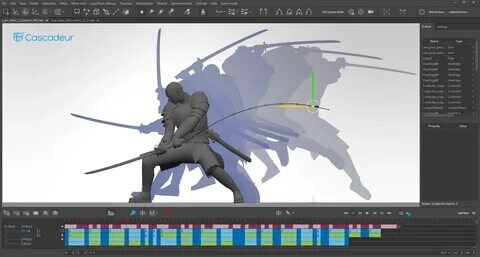
Cascadeur for Mac is a professional 3D animation software designed for artists, game developers, and filmmakers who want to create realistic character animations with ease. Powered by advanced AI-assisted tools, Cascadeur helps users produce natural poses, smooth movements, and physically accurate animations without requiring motion capture equipment. Whether you're working on game characters, cinematic sequences, or personal animation projects, the software provides an intuitive workflow that saves both time and effort while maintaining high-quality results.
Unlike traditional animation programs, Cascadeur combines manual keyframe animation with intelligent automation, making it easier to achieve lifelike motion. It supports industry-standard 3D formats, allowing seamless integration with Blender, Maya, Unreal Engine, Unity, and other popular production tools. With powerful rigging support, AutoPosing technology, and physics-based animation editing, Cascadeur is an excellent choice for professionals and beginners looking to improve their animation workflow on macOS.
Key Features
- AI-Assisted AutoPosing:
- Generate realistic character poses quickly using intelligent AI-powered tools.
- Physics-Based Animation:
- Create natural and believable movements with built-in physics simulation.
- Professional Keyframe Editing:
- Fine-tune every animation frame with advanced editing controls.
- Auto Physics Tool:
- Automatically adjust body movement for more realistic motion.
- Rig Support:
- Works with both custom and pre-built character rigs.
- Multiple File Format Support:
- Import and export FBX, DAE, and USD files with ease.
- Motion Cleanup:
- Refine and polish animations for professional-quality results.
- Game Engine Integration:
- Compatible with Unity and Unreal Engine pipelines.
- User-Friendly Interface:
- Clean workspace suitable for beginners and experienced animators.
- Regular Updates:
- Frequent improvements, bug fixes, and new animation features.
How to Download?
- Download the latest version of Cascadeur for Mac from a trusted source.
- Open the downloaded DMG installer file.
- Drag Cascadeur into the Applications folder.
- Launch the application from Launchpad or Finder.
- Allow any required macOS security permissions if prompted.
- Start creating professional 3D character animations on your Mac.