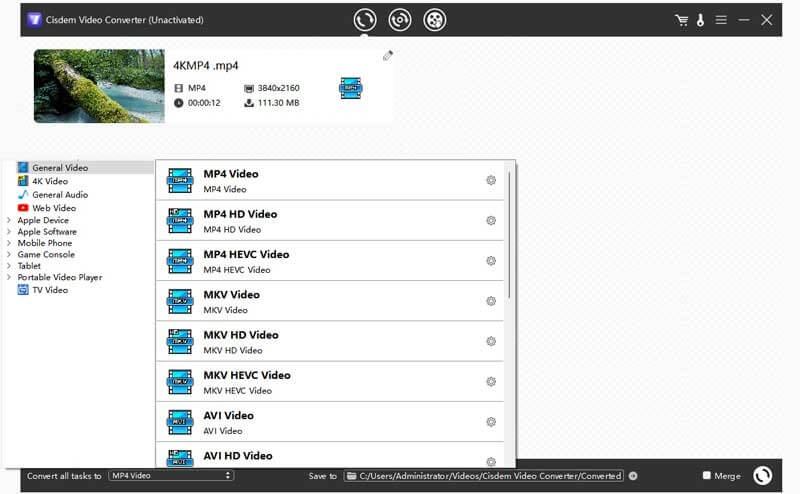
Cisdem VideoConverter is a powerful and easy-to-use multimedia tool designed for macOS users who need a fast and reliable way to convert video and audio files. It supports a wide range of formats, allowing users to convert videos for different devices such as iPhone, iPad, Android, TVs, and gaming consoles. The software is especially popular among content creators and everyday users because it combines high-speed conversion with high-quality output, without requiring advanced technical knowledge.
This Mac video converter also goes beyond simple format conversion. It includes built-in editing tools that allow users to trim, crop, merge, and add effects to videos before exporting them. In addition, it supports DVD ripping, online video downloading, and batch processing, making it a complete multimedia solution for macOS. Its clean interface and optimized performance ensure smooth workflow even when handling large HD or 4K video files.
Key Features
- Multi-format Conversion:
- Supports almost all popular video and audio formats including MP4, MOV, MKV, AVI, MP3, and more.
- High-Speed Processing:
- Uses advanced conversion engine for faster video processing without losing quality.
- Built-in Video Editor:
- Allows trimming, cropping, rotating, watermarking, and applying effects before conversion.
- DVD Ripping Support:
- Converts DVD content into digital formats for easy playback on modern devices.
- Online Video Downloading:
- Download videos from popular websites directly into your Mac.
- Batch Conversion:
- Convert multiple files at once to save time and improve productivity.
- Device Optimization Presets:
- Pre-configured settings for Apple devices, Android phones, TVs, and more.
How to Download and Install Cisdem VideoConverter (Mac)
- Visit the official Cisdem website.
- Go to the VideoConverter product page.
- Click on the Download for Mac button.
- Open the downloaded .dmg file.
- Drag and drop the application into the Applications folder.
- Launch the software and activate it if required.