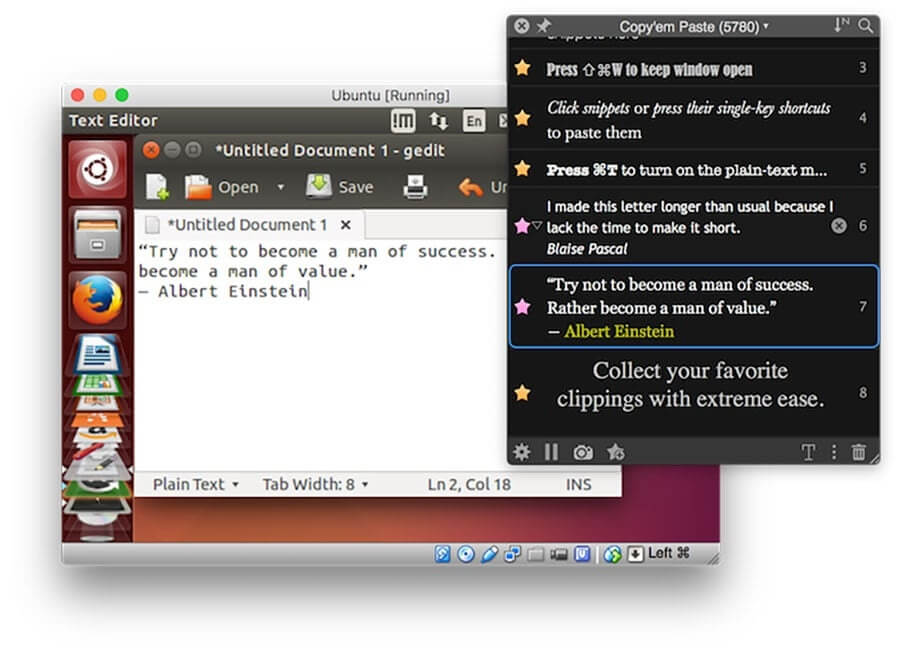
Copy’em is a powerful clipboard manager designed for macOS users who want complete control over their copy and paste history. Unlike the default Mac clipboard, Copy’em allows you to store, organize, and quickly access multiple copied items, including text, images, files, and links. With its lightweight menu bar interface, users can easily find previously copied content and reuse it anytime without copying the same information repeatedly. Copy’em improves productivity by making daily tasks like writing, research, coding, and content creation much faster and more efficient.
Copy’em provides a simple yet advanced clipboard management experience with customizable settings, smart search options, and support for managing a large collection of clipboard items. The app runs smoothly in the background and gives Mac users a convenient way to manage their copy-paste workflow. Whether you are a professional, student, developer, or creative user, Copy’em helps save time and keeps your clipboard history organized.
Key Features
- Unlimited Clipboard History:
- Save and access hundreds or thousands of copied items, including text, images, documents, and URLs.
- Quick Search & Access:
- Find any previously copied content instantly using the built-in search feature.
- Menu Bar Integration:
- Access clipboard history directly from the macOS menu bar without opening a separate application.
- Smart Clipboard Organization:
- Easily manage copied items and keep important content available whenever you need it.
- Copy Multiple Items at Once:
- Store multiple clipboard entries and paste them whenever required, improving workflow speed.
- Supports Different Data Types:
- Works with text, images, files, links, and other clipboard formats.
- Keyboard Shortcuts Support:
- Use customizable shortcuts to quickly open clipboard history and paste saved items.
- Lightweight & Fast Performance:
- Designed to run smoothly in the background while using minimal system resources.
- Privacy Friendly:
- Gives users control over clipboard data and storage preferences.
How to Download Copy’em for Mac
- Download the latest version of Copy’em from a trusted software source.
- Open the downloaded DMG file on your Mac.
- Drag the Copy’em application into the Applications folder.
- Launch the app and allow required permissions if requested.
- Configure clipboard settings and start managing your copy-paste history.