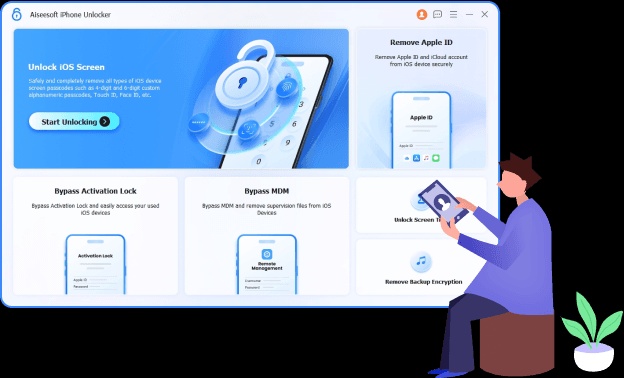
FonesGo iPhone Unlocker is a powerful Mac utility designed to help users unlock and manage iPhone, iPad, and iPod devices when they face lock screen or Apple ID-related issues. The software provides a simple and user-friendly interface that allows users to remove different types of iOS locks without requiring advanced technical skills. It supports various iPhone models and iOS versions, making it a useful solution for users who need to regain access to their devices.
With FonesGo iPhone Unlocker for Mac, users can handle common iOS unlocking problems, including forgotten passcodes, disabled devices, and certain Apple ID restrictions. The application is lightweight, easy to install, and optimized for macOS systems, offering a smooth unlocking experience with step-by-step guidance.
Key Features
- Remove iPhone Screen Passcode:
- Unlock your iPhone or iPad when you forget the screen password or your device becomes disabled.
- Apple ID Removal Support:
- Helps remove Apple ID-related locks in supported situations and allows users to manage their devices more easily.
- iOS Device Compatibility:
- Supports a wide range of iPhone, iPad, and iPod models with different iOS versions.
- Simple User Interface:
- Provides an easy-to-use design with clear instructions, making the unlocking process suitable for beginners.
- Fast Unlocking Process:
- Uses an efficient unlocking system to complete tasks quickly while guiding users through every step.
- No Technical Knowledge Required:
- Designed for normal users who need a straightforward solution for iOS lock problems.
- Safe and Reliable Tool:
- Provides a structured process to help users manage device access issues without complicated settings.
How to Download FonesGo iPhone Unlocker for Mac?
- Click on the download button available on the official website.
- Download the Mac installer file (.DMG).
- Open the downloaded file and drag the application into the Applications folder.
- Launch FonesGo iPhone Unlocker on your Mac.
- Connect your iPhone, iPad, or iPod using a USB cable.
- Follow the on-screen instructions to start the unlocking process.