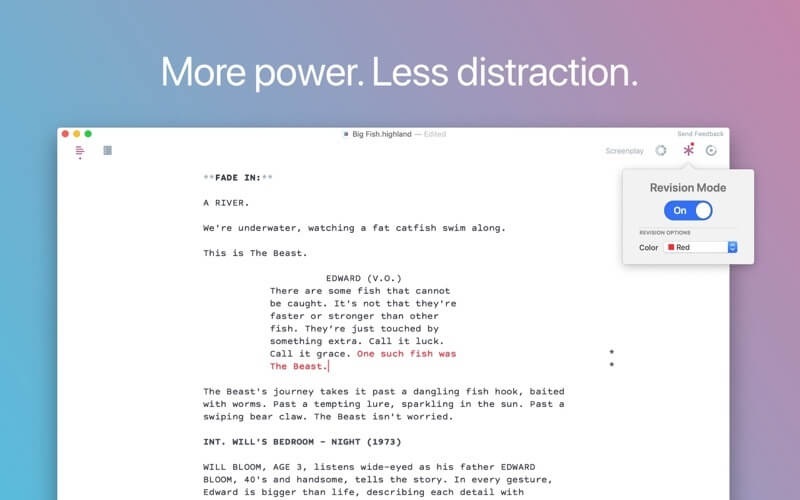
Highland is a lightweight yet powerful screenwriting application designed for writers who want a clean, distraction-free environment. Built specifically for macOS, it focuses on simplicity while still offering professional-grade formatting tools. Whether you are writing scripts for films, TV shows, or short stories, Highland provides a smooth and efficient writing experience without unnecessary clutter.
Unlike traditional word processors, Highland automatically handles screenplay formatting, allowing writers to focus purely on storytelling. Its Mac-native design ensures fast performance and seamless integration with macOS features. Many professional writers prefer Highland because it keeps the writing process minimal, structured, and highly productive.
Key Features
- Clean and distraction-free writing interface for focused screenwriting.
- Automatic screenplay formatting (no manual styling needed)
- Fountain syntax support for advanced script control.
- PDF export with industry-standard formatting.
- Revision tracking system for script editing and updates.
- Dark mode support for comfortable long writing sessions.
- Fast and lightweight performance on macOS.
- Built-in organization tools for scenes and notes.
How to Use / Download Highland on Mac
- Download Highland from its official website or Mac App Store.
- Install the application by dragging it into the Applications folder.
- Open the app and create a new screenplay project.
- Start writing using automatic formatting tools.
- Export your script as PDF or Fountain file when finishedHighland 2.0.5 – Powerful, straightforward screenwriting app.