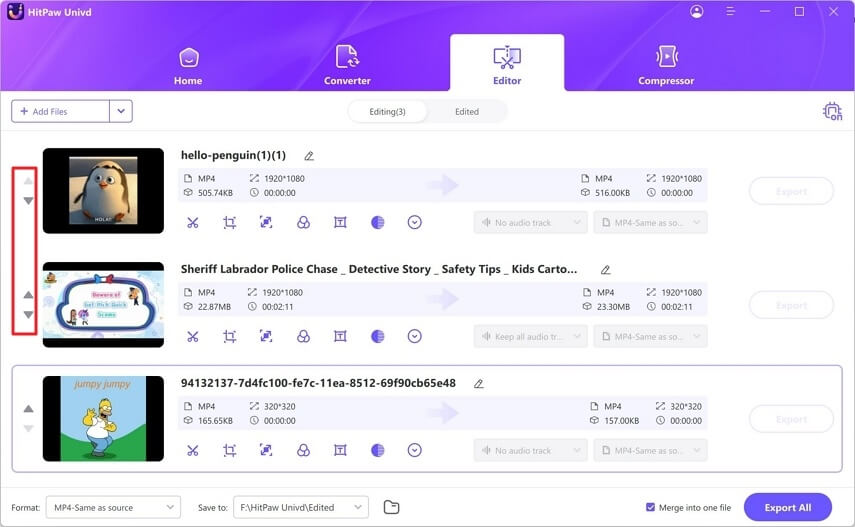
HitPaw Univd is a powerful all-in-one video converter and editing tool designed for macOS users who want fast, high-quality media conversion without losing original quality. It supports a wide range of video and audio formats, making it ideal for content creators, editors, and everyday users who need quick file conversion, compression, or editing in one simple interface. With GPU acceleration, it delivers faster processing speeds compared to traditional converters.
This software is also beginner-friendly, offering a clean interface where users can convert, edit, compress, and enhance videos in just a few clicks. Whether you are preparing videos for YouTube, social media, or professional projects, HitPaw Univd provides reliable performance and high-quality output optimized for modern devices.
Key Features of HitPaw Univd
- Multi-Format Support:
- Converts video and audio files across 1000+ formats including MP4, MOV, AVI, MP3, and more.
- High-Speed Conversion:
- GPU acceleration ensures faster processing without quality loss.
- Video Editing Tools:
- Trim, cut, merge, rotate, and add effects easily.
- Lossless Quality Output:
- Maintains original video/audio quality during conversion.
- Batch Processing:
- Convert multiple files at once to save time.
- Built-in Compressor:
- Reduce file size without noticeable quality loss.
- AI Enhancements:
- Improve video quality using smart optimization tools.
How to Download & Install HitPaw Univd on Mac ?
- Visit the official HitPaw website.
- Search for HitPaw Univd for Mac.
- Click the Download Mac Version button.
- Open the downloaded .dmg file.
- Drag the application into the Applications folder.
- Launch and start using the software.