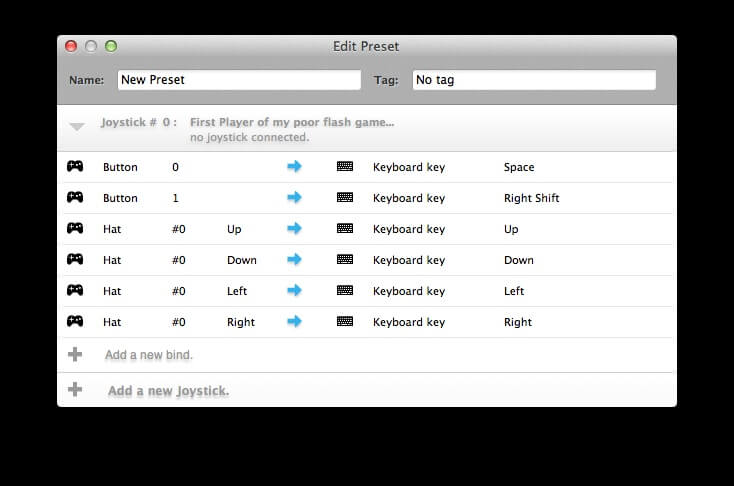
Joystick Mapper is a powerful macOS utility designed to help gamers and professionals map joystick, gamepad, and controller inputs to keyboard keys and mouse actions. It is especially useful for games or applications that do not natively support controllers on Mac. With Joystick Mapper, you can fully customize your gaming experience by assigning any controller button or analog movement to specific keyboard commands.
This lightweight yet highly effective tool supports multiple controllers at once, making it ideal for complex setups or multiplayer configurations. Whether you're playing retro games, simulators, or using creative software, Joystick Mapper gives you full control flexibility on macOS. Its simple interface ensures beginners can start quickly, while advanced users can fine-tune every input for maximum precision and performance.
Key Features
- Full Controller Mapping:
- Easily assign joystick buttons, triggers, and analog sticks to keyboard keys or mouse actions.
- Mouse Emulation Support:
- Convert joystick movement into precise mouse control for navigation or gameplay.
- Multiple Controller Support:
- Connect and configure more than one gamepad or joystick simultaneously.
- Custom Profiles:
- Create different control layouts for different games or applications.
- Low Latency Performance:
- Designed for smooth and responsive input mapping without delays.
- macOS Optimization:
- Works efficiently with modern macOS versions and supports various controller brands.
How to Download Joystick Mapper for Mac
- Visit the official Mac App Store or trusted software distributor.
- Search for “Joystick Mapper”
- Click on Download / Install.
- Wait for installation to complete.
- Open the app and start configuring your controller.
Tip: Always download from trusted sources to avoid modified or unsafe versions.