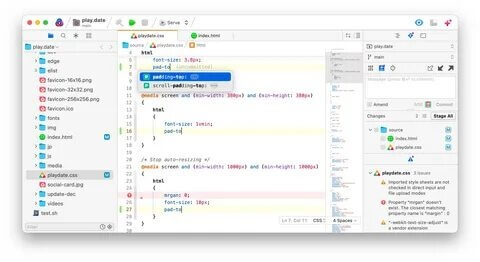
Nova for Mac is a powerful native code editor developed specifically for macOS by Panic Inc. It is designed for developers who want a fast, modern, and highly customizable coding environment. Whether you're building websites, developing applications, or editing scripts, Nova provides advanced editing tools, Git integration, a built-in terminal, and flexible extensions to improve your workflow. Its native performance ensures a smooth experience on both Intel and Apple Silicon Macs.
Unlike traditional text editors, Nova combines speed with professional development features in a clean and intuitive interface. Developers can work with multiple programming languages, manage remote files through FTP and SFTP, and customize the editor with themes and extensions. With continuous updates and optimized macOS support, Nova is an excellent choice for beginners and experienced programmers looking for a premium coding solution.
Key Features
- Native macOS Performance:
- Built exclusively for macOS, delivering exceptional speed and responsiveness on Intel and Apple Silicon Macs.
- Advanced Code Editor:
- Features intelligent syntax highlighting, auto-completion, multiple cursors, code folding, and smart indentation.
- Built-in Git Integration:
- View changes, commit code, switch branches, and manage repositories without leaving the editor.
- Integrated Terminal:
- Access a fully functional terminal directly inside Nova for faster development and debugging.
- Remote File Management:
- Connect to FTP, SFTP, and WebDAV servers to edit files directly on remote hosts.
- Extensible with Add-ons:
- Install themes, language packs, and extensions to customize your coding environment.
- Multiple Language Support:
- Supports HTML, CSS, JavaScript, PHP, Python, Swift, C++, JSON, Markdown, and many more.
- Professional User Interface:
- A clean, distraction-free workspace with customizable layouts for maximum productivity.
How to Download Nova for Mac?
- Download the latest version of Nova from a trusted source.
- Open the downloaded DMG file.
- Drag Nova into the Applications folder.
- Launch the application from Applications.
- Grant any required macOS permissions if prompted.
- Start coding with Nova on your Mac.