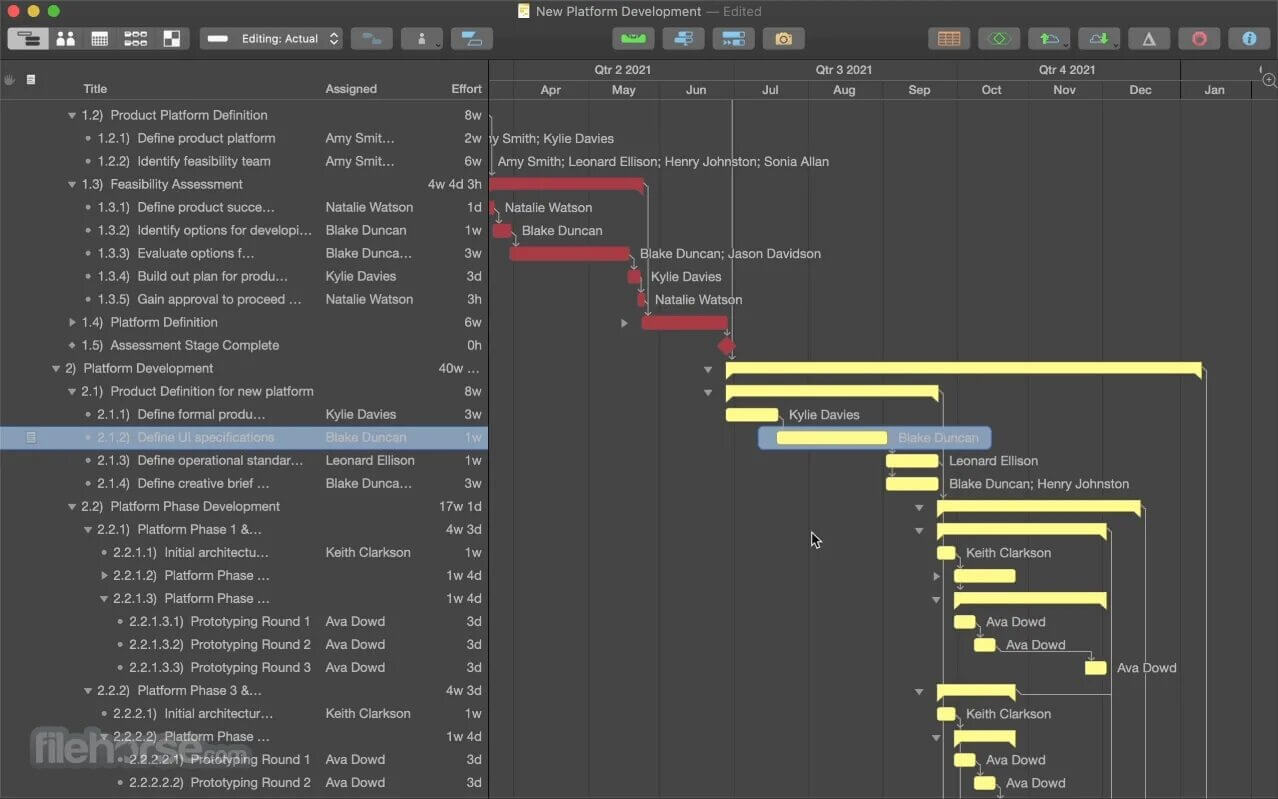
OmniPlan Pro is a powerful project management software designed for macOS users who need advanced planning, scheduling, and team coordination tools. It helps professionals break down complex projects into manageable tasks, assign resources, track progress, and maintain full control over deadlines. Whether you are managing a business project, construction timeline, or software development workflow, OmniPlan Pro provides a clean and structured environment to keep everything organized and efficient.
With its intelligent scheduling engine, Gantt charts, and resource allocation system, OmniPlan Pro ensures that every task is properly planned and executed. Users can easily visualize dependencies, adjust timelines, and balance workloads across teams. The software is especially useful for project managers who want precision, clarity, and real-time control over their projects on macOS.
Key Features of OmniPlan Pro
- Advanced Project Scheduling:
- Create detailed project plans with automatic scheduling that adjusts timelines based on task dependencies and changes.
- Gantt Chart Visualization:
- Easily track project progress using interactive Gantt charts for better time management and planning clarity.
- Resource Management:
- Assign tasks to team members and balance workloads to avoid over-allocation or delays.
- Task Dependencies Control:
- Link tasks together so changes in one automatically reflect in others.
- Multiple Project Tracking:
- Manage several projects at the same time without losing control or organization.
- Real-Time Updates:
- Keep your project data updated and synchronized across all changes instantly.
How to Download OmniPlan Pro (Mac)
- Visit the official Omni Group website or trusted Mac software store.
- Search for OmniPlan Pro.
- Click on the download button.
- Install the .dmg file on your Mac.
- Drag the application into the Applications folder.
- Launch and activate using your license key.