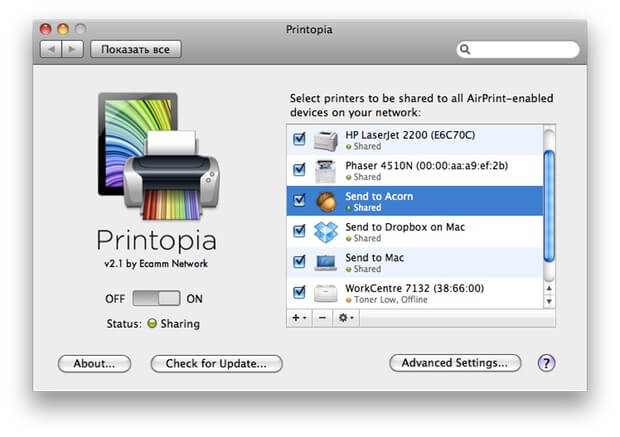
Printopia is a powerful macOS utility designed to extend Apple’s AirPrint functionality and give users more control over how and where documents are printed. With Printopia, you can easily share printers connected to your Mac with iPhones, iPads, and other devices on the same network. It also allows you to create virtual printers that can automatically save documents as PDF files or send them directly to cloud storage services, making it an efficient tool for both home and office use.
This software is especially useful for users who want to eliminate printing limitations and streamline document handling. Printopia runs quietly in the background on macOS and instantly makes your Mac act as a print server. Whether you are managing office documents or personal files, it improves workflow by reducing manual printing steps and increasing accessibility across devices.
Key Features:
- AirPrint Sharing:
- Share any printer connected to your Mac with iOS devices without extra drivers.
- Virtual Printers:
- Create PDF or folder-based virtual printers that automatically save documents.
- Cloud Integration:
- Send printed files directly to services like Dropbox or local folders.
- Background Operation:
- Runs silently on macOS without affecting system performance.
- Easy Setup:
- Simple installation and automatic detection of printers on your system.
- Multi-Device Support:
- Works seamlessly with iPhone, iPad, and Mac devices on the same network.
How to Download & Install Printopia (Mac)
- Visit the official Printopia website or trusted Mac software distributor.
- Download the latest macOS version of Printopia.
- Open the downloaded .dmg file.
- Drag Printopia into the Applications folder.
- Launch the app and allow necessary system permissions.
- Enable printer sharing from settings.