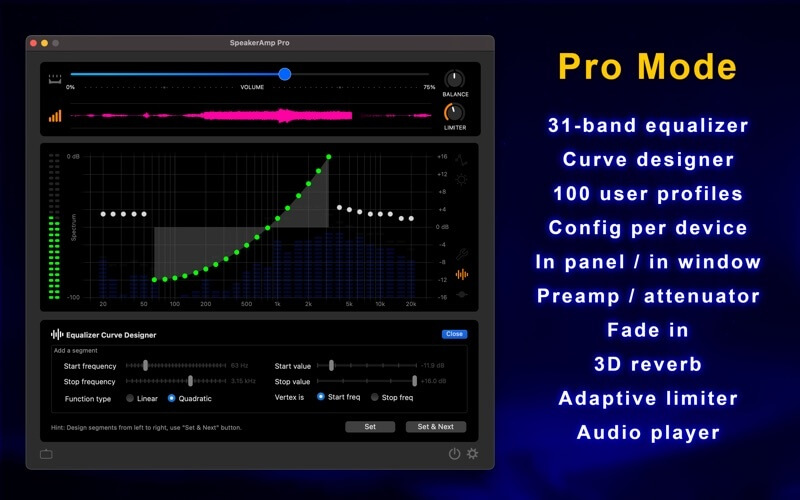
SpeakerAmp is a lightweight yet powerful macOS audio enhancement application designed to boost and optimize sound output for speakers and headphones. Whether you're watching movies, listening to music, gaming, or attending online meetings, SpeakerAmp improves clarity, volume, and overall audio performance without distorting the original sound. It is especially useful for users who feel their Mac’s built-in volume is too low or lacks depth. With real-time audio processing, it ensures a richer and more immersive listening experience across all apps on macOS.
The software works by intelligently amplifying system-wide audio while maintaining balance between bass, vocals, and treble. Unlike basic volume boosters, SpeakerAmp focuses on sound quality, ensuring no harsh distortion even at higher levels. Its clean interface makes it easy for beginners, while advanced users can fine-tune audio settings for personalized output. It runs smoothly in the background, making it ideal for both casual and professional use.
Key Features of SpeakerAmp (Mac)
- System-wide audio boosting for all applications.
- Real-time sound enhancement without delay.
- Balanced audio tuning (bass, treble, and voice clarity)
- Lightweight design with low CPU usage.
- Works with music players, browsers, games, and video apps.
- Simple on/off control with instant effect
How to Download & Install SpeakerAmp on Mac
- Download the SpeakerAmp DMG file from the official source or trusted distributor.
- Open the downloaded file on your Mac.
- Drag and drop SpeakerAmp into the Applications folder.
- Launch the app and allow necessary audio permissions.
- Adjust volume boost settings as needed and enjoy enhanced sound.