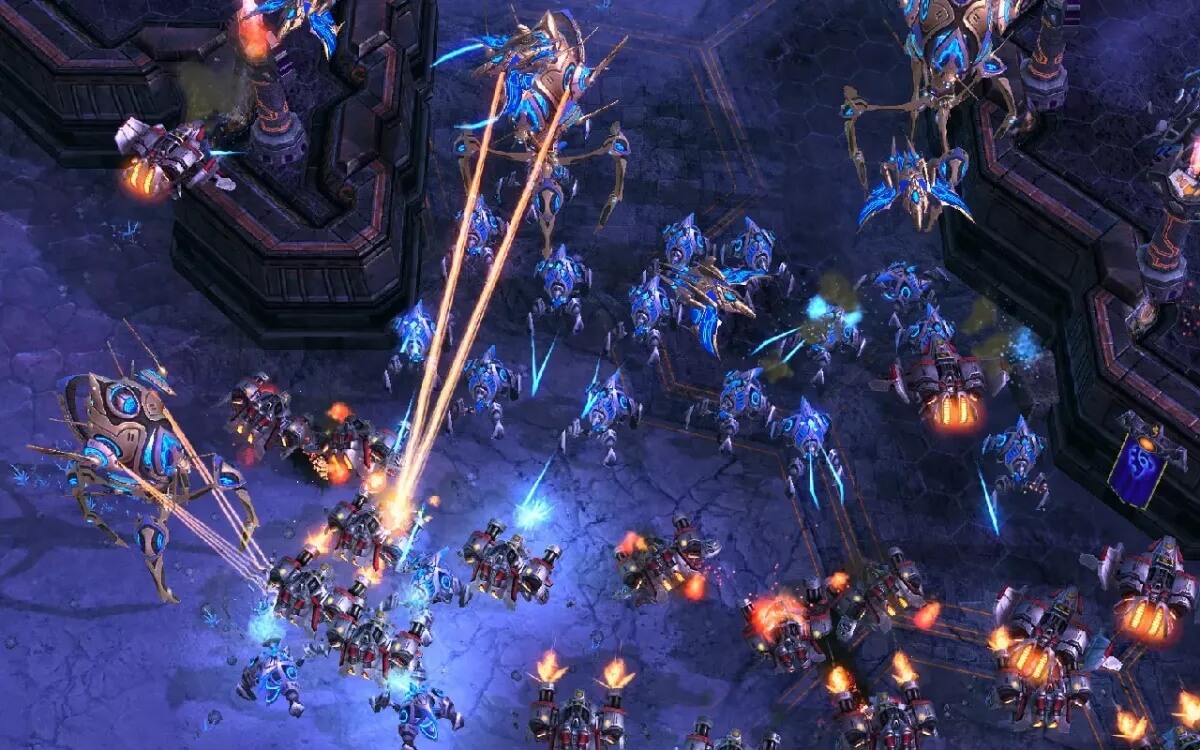
StarCraft II is one of the most iconic real-time strategy (RTS) games ever created, developed by Blizzard Entertainment. It continues the legacy of the original StarCraft series with enhanced graphics, deeper strategic gameplay, and an immersive sci-fi storyline. The game is set in a futuristic universe where three powerful factions—the Terran, Zerg, and Protoss—battle for dominance across the galaxy.
On macOS, StarCraft II delivers a smooth and competitive experience with full support for online multiplayer, ranked matches, and a rich campaign mode. Players can enjoy both single-player story missions and highly competitive esports gameplay. With its free-to-play base version and optional expansions, it remains a top choice for strategy game lovers worldwide.
How to Play
- Choose your race (Terran, Zerg, or Protoss)
- Build your base and gather resources (minerals & gas)
- Train units and upgrade technologies
- Defend your base from enemies
- Attack opponents strategically to destroy their bases
- Complete campaign missions or compete in multiplayer battles
Key Features
- Three Unique Races:
- Play as Terran, Zerg, or Protoss, each with unique units, abilities, and strategies.
- Competitive Multiplayer:
- Ranked matchmaking system with global leaderboards and esports-level competition.
- Epic Story Campaign:
- A cinematic single-player campaign with missions, cutscenes, and deep lore.
- Fast-Paced RTS Gameplay:
- Requires quick decision-making, resource management, and tactical execution.
- Custom Maps & Mods:
- Community-created maps and game modes for endless replay value.
- macOS Optimization:
- Smooth performance and stable gameplay on supported Mac systems.
How to Download (macOS)
- Visit the official Blizzard Battle.net launcher.
- Create or log in to your Blizzard account.
- Download the Battle.net client for Mac.
- Install and open the launcher.
- Search for StarCraft II in the game library.
- Click install and wait for the download to complete.
- Launch the game and start playing.