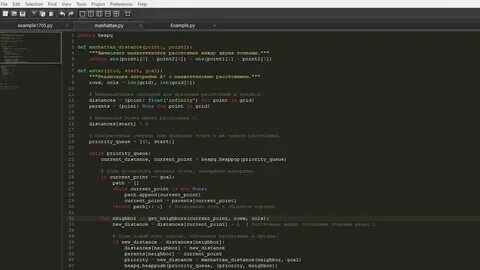
Sublime Text is a powerful and lightweight text editor designed for programmers, developers, and web designers. It provides a fast and smooth coding experience with support for multiple programming languages, advanced editing tools, and a highly customizable interface. With its clean design and powerful features, Sublime Text for macOS is widely used for writing code, editing scripts, and managing development projects efficiently.
Sublime Text offers excellent performance even when handling large files and complex projects. It includes features like multiple selections, command palette, syntax highlighting, auto-completion, project management, and plugin support. Whether you are a beginner learning programming or a professional developer working on advanced applications, Sublime Text provides all the essential tools needed for productive coding on Mac.
Key Features
- Fast and Lightweight Performance:
- Sublime Text is optimized for speed and provides quick startup times with smooth performance, even on large coding projects.
- Multiple Programming Language Support:
- Supports popular languages including HTML, CSS, JavaScript, Python, PHP, C++, Java, Ruby, and many more with advanced syntax highlighting.
- Multiple Selections & Editing:
- Edit multiple lines or locations at the same time to improve coding speed and productivity.
- Command Palette:
- Quickly access commands, settings, and features without navigating through menus.
- Powerful Search and Replace:
- Find and replace text across multiple files with advanced search options.
- Customizable Interface:
- Customize themes, shortcuts, menus, and layouts according to your workflow.
- Plugin and Package Support:
- Extend functionality with thousands of community-created packages and plugins.
- Project Management:
- Easily organize and manage large development projects with folders and workspace support.
How to Download and Install Sublime Text on Mac?
- Download the latest version of Sublime Text for macOS from the official website.
- Open the downloaded DMG installation file.
- Drag the Sublime Text application into the Applications folder.
- Launch Sublime Text from the Applications menu.
- Install required packages and customize settings according to your development needs.