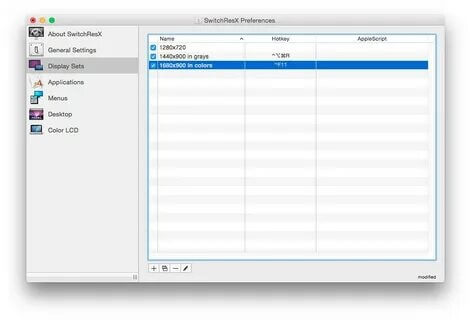
SwitchResX for Mac is a powerful display management utility that gives users complete control over their Mac's screen resolution, refresh rate, and multiple monitor settings. Whether you're using an external monitor, an ultrawide display, or a custom resolution, SwitchResX makes it easy to optimize your display configuration for better performance and productivity. It is widely used by designers, developers, gamers, and professionals who require advanced display customization options beyond the built-in macOS settings.
With its intuitive interface and extensive customization features, SwitchResX allows users to create custom resolutions, manage display profiles, control refresh rates, and automatically switch display settings based on connected monitors. The software works seamlessly with both Intel-based and Apple Silicon Macs, making it an excellent solution for users looking to unlock the full potential of their displays.
Key Features:
- Custom Display Resolutions:
- Create and use custom screen resolutions that are not available in macOS by default.
- Refresh Rate Management:
- Easily change monitor refresh rates for smoother visuals and improved performance.
- Multiple Monitor Support:
- Configure and manage multiple displays independently with advanced settings.
- Display Profiles:
- Save different display configurations and switch between them with a single click.
- Automatic Display Detection:
- Automatically apply preferred settings whenever a specific monitor is connected.
- Color Depth Configuration:
- Adjust color depth and display modes for professional graphics workflows.
- Menu Bar Access:
- Quickly change resolutions and display settings directly from the macOS menu bar.
- Apple Silicon Compatible:
- Fully optimized for both Intel and Apple Silicon (M1, M2, M3, and newer) Macs.
How to Download SwitchResX for Mac?
- Download the latest version of SwitchResX from a trusted source.
- Open the downloaded DMG file.
- Drag SwitchResX into the Applications folder.
- Launch the application and grant the necessary macOS permissions.
- Restart your Mac if required to activate all display management features.
- Connect your monitor and begin customizing your display settings.