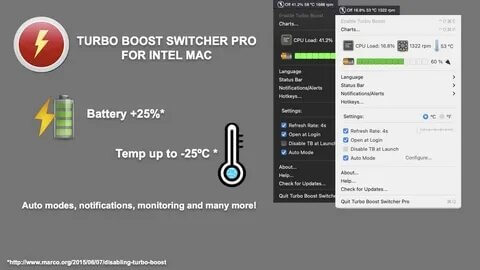
Turbo Boost Switcher Pro is a lightweight macOS utility designed to give users full control over Intel Mac processor performance. It allows you to enable or disable Intel Turbo Boost technology with a single click, helping you manage heat levels, fan noise, and battery consumption more effectively. This tool is especially useful for MacBook users who want a quieter system during normal tasks or extended battery life when performance is not critical.
By disabling Turbo Boost, your Mac runs at lower clock speeds, which significantly reduces overheating and improves battery efficiency. On the other hand, enabling it restores full CPU performance for demanding tasks like video editing, gaming, or software development. The application runs in the background and provides quick access through the menu bar, making it simple and user-friendly even for non-technical users.
Key Features
- One-click Turbo Boost control:
- Easily enable or disable CPU Turbo Boost from the macOS menu bar.
- Better battery life:
- Reduces CPU power usage when Turbo Boost is turned off.
- Lower temperature & fan noise:
- Helps keep your MacBook cooler and quieter.
- Performance mode switching:
- Quickly switch between high performance and energy-saving modes.
- Background operation:
- Runs silently without affecting system performance.
- Real-time status monitoring:
- Shows current Turbo Boost status directly in the menu bar.
How to Download & Install
- To download Turbo Boost Switcher Pro, visit the official developer website or trusted macOS software distribution platforms.
- After downloading the DMG file, open it and drag the application into the Applications folder.
- Launch the app, grant necessary system permissions, and enable menu bar access.
- Once installed, you can start controlling Turbo Boost instantly from the top menu bar.