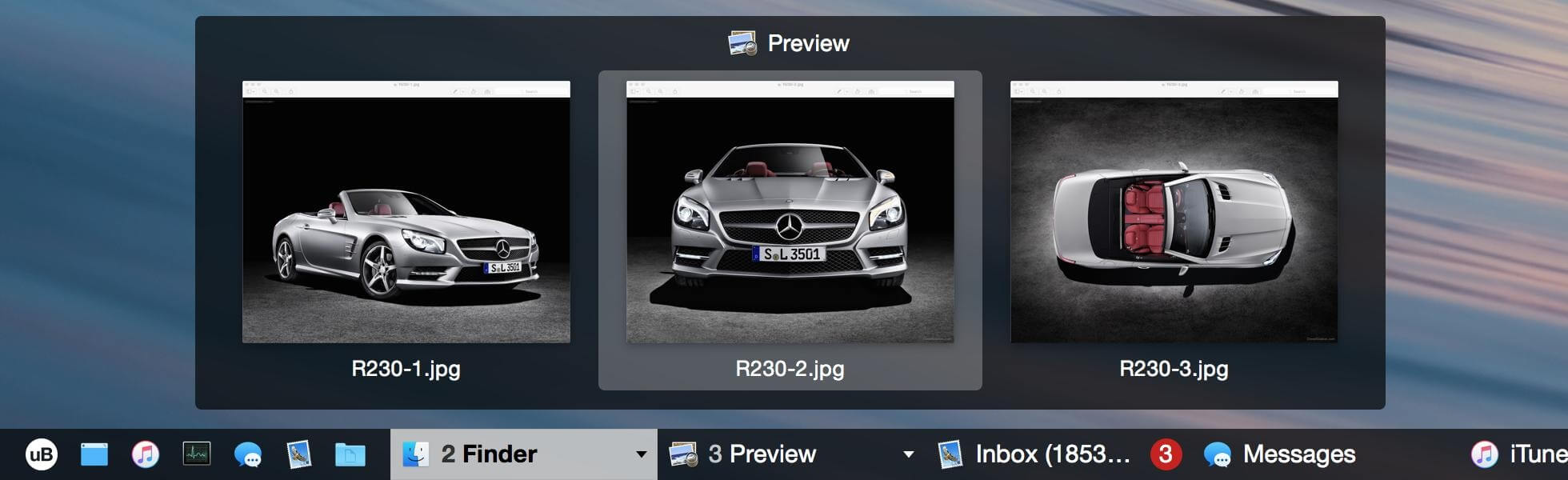
uBar is a powerful macOS customization tool designed to replace the default Dock with a Windows-style taskbar experience. It brings a more traditional and functional workflow to Mac users who prefer a structured and productivity-focused desktop layout. With uBar, you can manage open applications, system monitoring, and window switching in a single clean bar, making multitasking much more efficient.
This software is especially popular among users transitioning from Windows to macOS because it replicates the familiar taskbar behavior. It also enhances workflow control by giving more visibility over running apps, background processes, and system performance. uBar integrates smoothly with macOS while offering deep customization options, allowing users to adjust appearance, placement, and behavior according to their preferences.
Key Features of uBar (Mac)
- Windows-Style Taskbar Layout:
- Replaces the macOS Dock with a familiar taskbar design that shows all running applications in one place.
- Live App Previews:
- Hover over running apps to see real-time previews of open windows for faster navigation.
- Multi-Monitor Support:
- Works efficiently with multiple displays, allowing taskbars on each screen.
- System Monitoring Tools:
- Displays CPU, RAM, and network usage directly on the taskbar for quick system insights.
- Customizable Interface:
- Users can change position, size, colors, and layout to match their workflow style.
- Fast App Switching:
- Quickly switch between open applications with improved window management controls.
How to Download & Install uBar on Mac
- Visit the official uBar website or trusted macOS software distributor
- Download the latest available macOS version of uBar.
- Open the downloaded .dmg file.
- Drag and drop uBar into the Applications folder.
- Launch the app and allow necessary macOS permissions.
- Customize settings based on your workflow preferences.