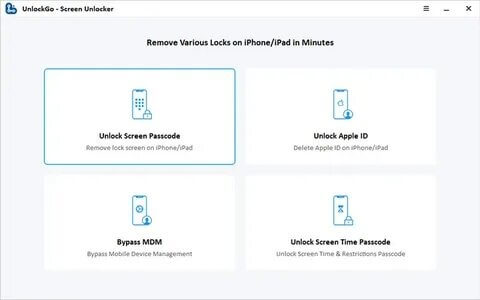
UnlockGo for Mac is a powerful iOS unlocking utility designed to help users remove various screen locks and Apple ID restrictions from iPhone, iPad, and iPod touch devices. Whether you've forgotten your passcode, purchased a second-hand device with an activation lock, or need to bypass certain security restrictions, UnlockGo provides an intuitive solution with a user-friendly interface. It supports a wide range of iOS devices and is regularly updated to ensure compatibility with the latest Apple software.
The software is optimized for macOS, delivering fast performance and reliable unlocking tools without requiring advanced technical knowledge. UnlockGo supports multiple unlocking modes, making it suitable for both beginners and professionals. With its simple step-by-step process, users can regain access to their devices quickly while benefiting from stable performance and frequent updates.
Key Features
- Remove iPhone Screen Lock:
- Unlock 4-digit, 6-digit, Face ID, and Touch ID screen locks in just a few steps.
- Bypass Apple ID:
- Remove Apple ID from supported iOS devices without requiring the original password.
- Remove MDM Restrictions:
- Bypass Mobile Device Management (MDM) profiles without data loss on compatible devices.
- Screen Time Passcode Removal:
- Delete forgotten Screen Time passcodes without resetting the device.
- Supports Latest iOS Versions:
- Compatible with the latest iOS and iPadOS releases for maximum device support.
- Easy-to-Use Interface:
- Simple wizard-based process that guides users through every unlocking step.
- Fast Unlocking Process:
- Optimized algorithms reduce waiting time while maintaining a high success rate.
- Regular Software Updates:
- Frequent updates ensure compatibility with newly released Apple devices and macOS versions.
How to Download?
- Download the latest version of UnlockGo for Mac.
- Open the downloaded DMG file.
- Drag UnlockGo into the Applications folder.
- Launch the software from Applications.
- Connect your iPhone or iPad using a USB cable.
- Follow the on-screen instructions to select the desired unlocking mode.
- Wait for the process to complete and safely disconnect your device.